•
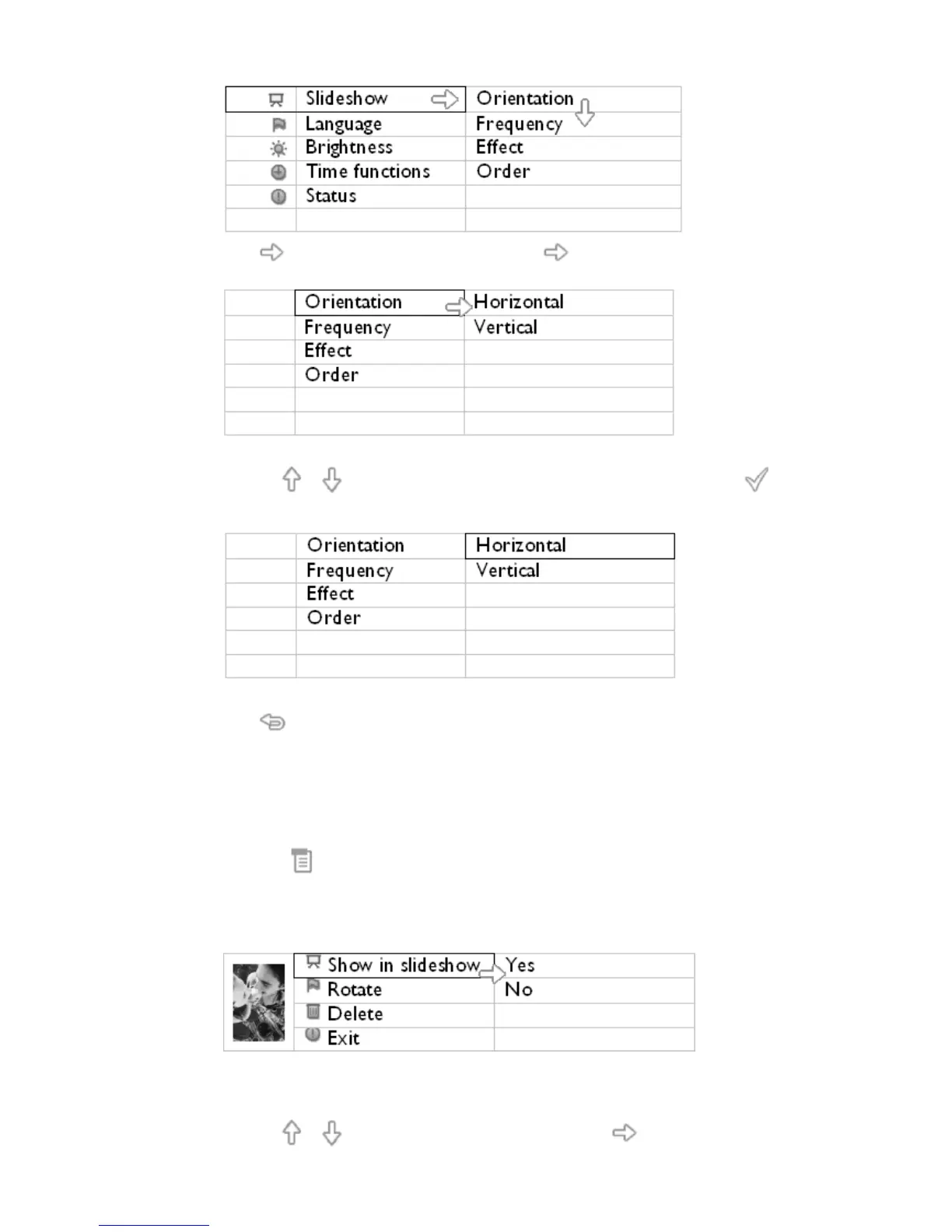
Press key to select Slideshow settings; press key again to select Orientation.
•
Use the or key to highlight how you want to place PhotoFrame™. Press to
confirm your selection.
Now your selected setting is confirmed.
•
Press to leave this menu.
Selecting correct photo orientation for Slideshow
Note: This function only applies to photos stored on PhotoFrame™'s internal
memory.
•
Change the view mode to Browse or Thumbnail.
•
Press the key (the 4
th
key from the left on the rear of PhotoFrame™).
A menu with specific settings for the selected photo will appear.
•
Use the or key to highlight Rotate. Next, press the to select.



 To Next Page