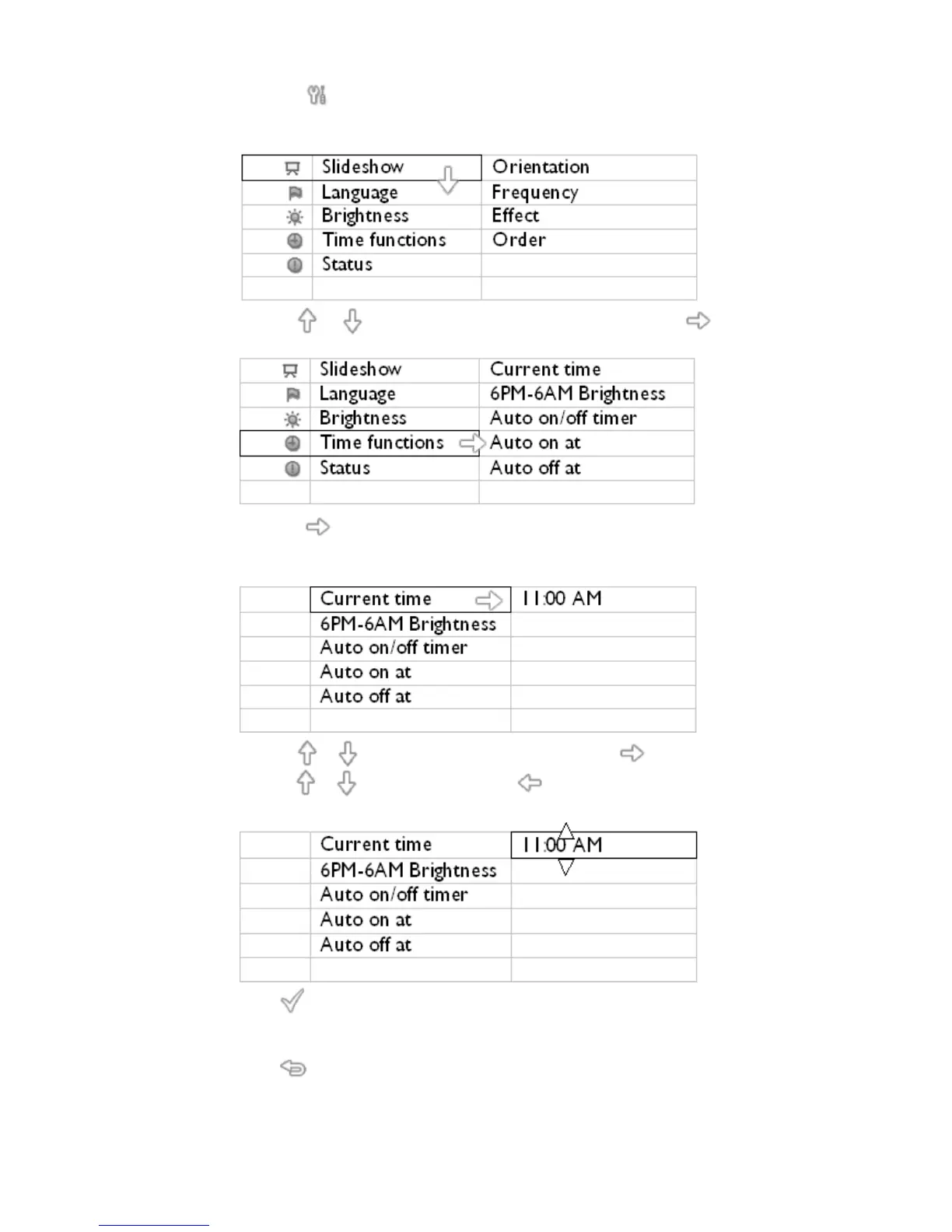
Press the key (the 3
th
key from the left on the rear of PhotoFrame™).
A menu with general settings for PhotoFrame™ will appear.
•
Use the or key to highlight Time functions. Next press the key to select.
•
Press the key again to select Current Time.
A clock will appear for you to set Hours, Minute, and AM/PM.
•
Use the or key to set Hours; next then press the key to move to Minutes an
use the or key to set Minute. Use to move back for any changes.
•
Press to confirm.
Now your settings are confirmed.
•
Press to leave this menu.
Setting evening brightness level
Local time must be set correctly before setting up this feature



 To Next Page