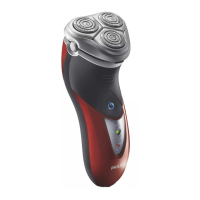
1 Press the on/off button once to switch on the
shaver.
The power-on symbol in the on/off button lights
up.
2 Move the shaving heads over your skin. Make
both straight and circular movements.
Shaving on a dry face gives the best results.
Your skin may need 2 or 3 weeks to get
accustomed to the Philips shaving system.
3 Press the on/off button once to switch off the
shaver.
4 Clean the shaver (see chapter ‘Cleaning and
maintenance’).
You can use the trimmer to groom your sideburns
and moustache.
1 Press the on/off button once to switch on the
shaver.
The power-on symbol in the on/off button lights
up.
2 Push the trimmer slide downwards to open
the trimmer.
You can now start trimming.
3 After trimming, close the trimmer (‘click’) and
switch off the shaver.
,
-
-
,
,
ENGLISH10


 To Next Page
 Loading...