Digital Telephone Desktop 9850
11
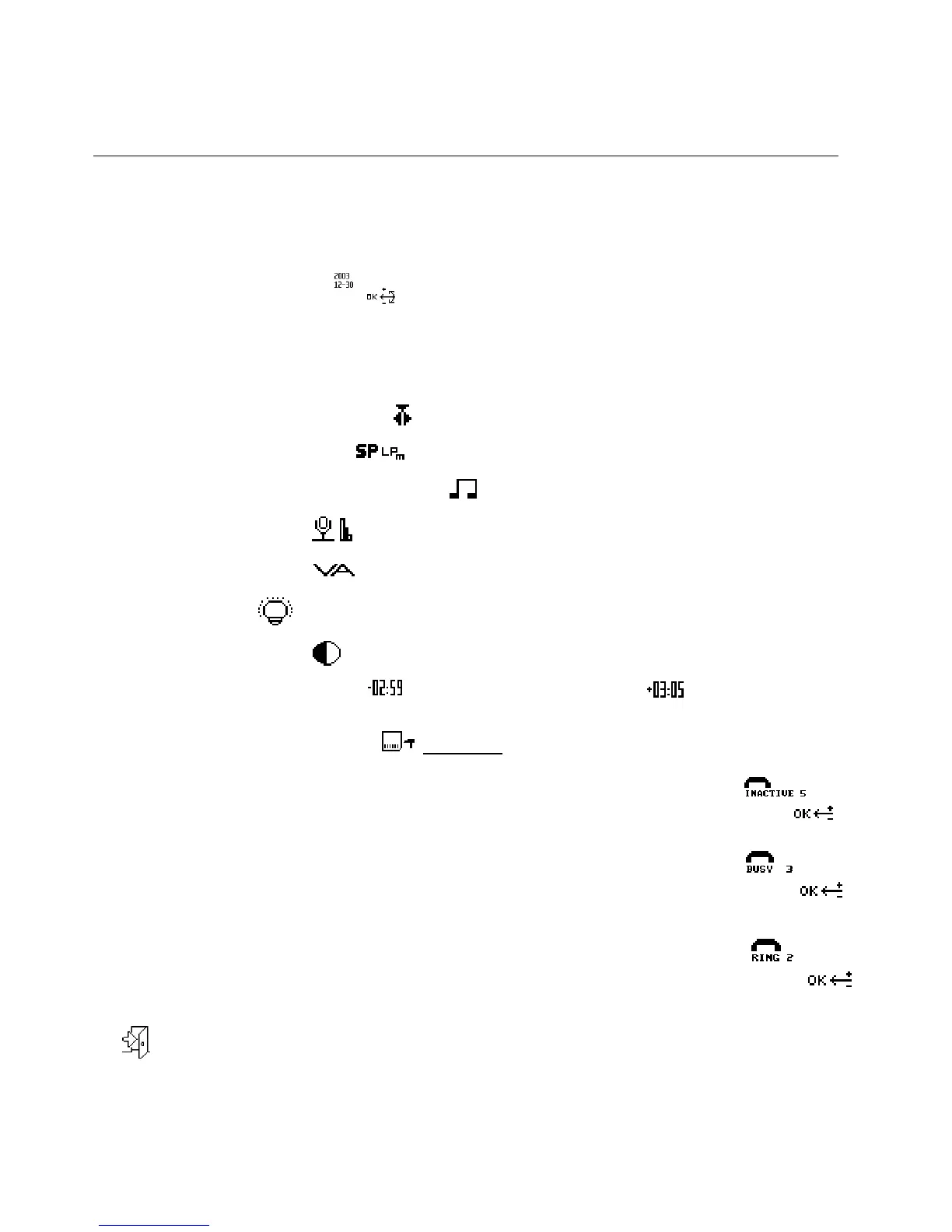
Menu entries
The device comes with a menu which provides the following menu entries for making general
settings:
• Setting the date and time:
Setting the voice prompt language: E/FR/D/ES – select between English, French, German or
Spanish voice prompt language.
Note: ”Private” is an option which can be used for an additional
language. The corresponding wave-prompts must be added on the memory card [File format:
WAV,16bit,12kHz,mono].
• Setting Overwrite or Insert mode:
- the default setting is overwrite mode.
• Setting the recording format:
(Standard Play or Long Play mobile)
• Enabling and disabling the device beep:
• Microphone sensitivity:
- will be automatic in remote telephone recording mode
• Voice Activation on/off:
- during telphone operation this function will be turned off.
• Backlight on/off:
• Changing the contrast:
• Displaying the recording time:
(remaining recording time) or (used-up recording
time)
• Reformatting the memory card:
Attention: This will also delete all voice prompts!
• Voice reminder “please press any key” if no keys are pressed and no
voice level was detected during pause (stop) mode. Adjustable between 1
/ 5 / 10 / 30 minutes, The default setting is 5 minutes:
• Busy Detection Level: 1 = most easy detection, quick disconnect after very
short busy sequence, may also hang up when whistling 2 = easy detection
of hangup signal, for short busy sequence 3 and 4= are long busy signal
necessary, most selective between voice and busy tone. The default
setting is 2:
• Configure the number of ring tones before the device picks-up. The default
setting is 2 ring tones before the device picks up the call:
• Select the menu entry for exiting the menu and confirm the selection by pressing the Jog Dial:



 To Next Page