EasyManua.ls Logo

Philips AC 914 - Page 14

Philips AC 914
42 pages
Print Icon
To Next Page IconTo Next Page
To Previous Page IconTo Previous Page
Loading...
and
you
will
receive
the
message.
When
the
message
has
been
read
through
playback
is
continued.
DK:
(during
fast
winding)
Fast
winding
and
fast
searching
in
the
MSS
mode
will
also
be
interrupted
as
soon
as
traffic
information
is
broadcast,
provided
your
car
radio
is
tuned
in
to
the
correct
transmitter
and
the
radio
is
in
the
INFO
mode.
Then
the
unit
will
switch
over
to
radio
reception
and
you
will
receive
the
traffic
information.
Atthe
end
of
the
end
of
the
message
cassette
playback
is
continued,
if
you
were
listening
to
a
cassette
when
you
started
fast
winding.
If
you
started
fast
winding
while
you
were
listening
to
the
radio
(cassette
player
in
stand-by
mode)
radio
reception
is
continued,
also
after
the
traffic
information
has
been
broadcast.
Note:
The
sound
level
at
which
traffic
information
is
produced)
has
been
set
in
the
factory.
It
is
recommended
to
check
this
level
prior
to
car
radio
mounting
(see
mounting
instructions).
Automatic
selection
of
INFO
transmitters
on
FM
One
of
the
special
features
of
this
unit
is
automatic
search
for
and
tuning
of
new
INFO
transmitters
(AUTO
INFO
SEARCH).
When
the
radio
is
in
the
INFO
mode
and
the
tuned
INFO
transmitter
has
become
too
weak
(or
when
the
pilot
tone
is
temporarily
muted),
the
radio
will
after
approx
5
seconds
automatically
search
fora
stronger
INFO
transmitter
and
you
will
hear
a
beep
tone
(Warnton).
This
indication
is
14
important
for
you
if
you
are
not
listening
to
the
tuned
transmitter
(minimum
volume),
or
when
you
are
playing
a
cassette.
Automatic
search
and
tuning
takes
place
at
two
sensitivity
levels.
If
in
the
entire
band
no
strong
transmitters
are
found,
a
second
scanning
round
follows
during
which
the
radio
also
tunes
in
to
weaker
INFO
transmitters.
If,
in
exceptional
cases
(like
when
you
are
driving
through
a
tunnel),
no
weaker
INFO
transmitters
are
being
selected,
anew
beep
tone
follows
and
the
search
action
starts
all
over
again.
Then
the
INFO
mode
should
be
switched
off
temporarily.
Switching
on
the
INFO
on
FM
If
you
are
listening
to
an
FM
transmitter
without
traffic
information
and
you
want
a
transmitter
with
traffic
information,
you
only
need
to
depress
the
INFO
button.
After
5
seconds
you
will
hear
a
beep
tone
and
the
radio
will
automatically
tune
in
to
the
next
INFO
transmitter
(if
present).
CASSETTE
PLAYER
Which
cassette
@
lt
is
strongly
recommended
only
to
use
C-60
and
C-90
cassettes.
@
Use
good
quality
cassettes.
@
Always
check
which
type
of
cassette
you
want
to
play.
In
the
case
of
a
Chromium’
or
‘Metal’
cassette,
press
button
(4).
The
word
METAL
will
appear
on
the
display.
in
case
of
a
Ferro’
cassette,
press
button
(4)
once
again.
The
word
METAL
on
the
display
will
fade.
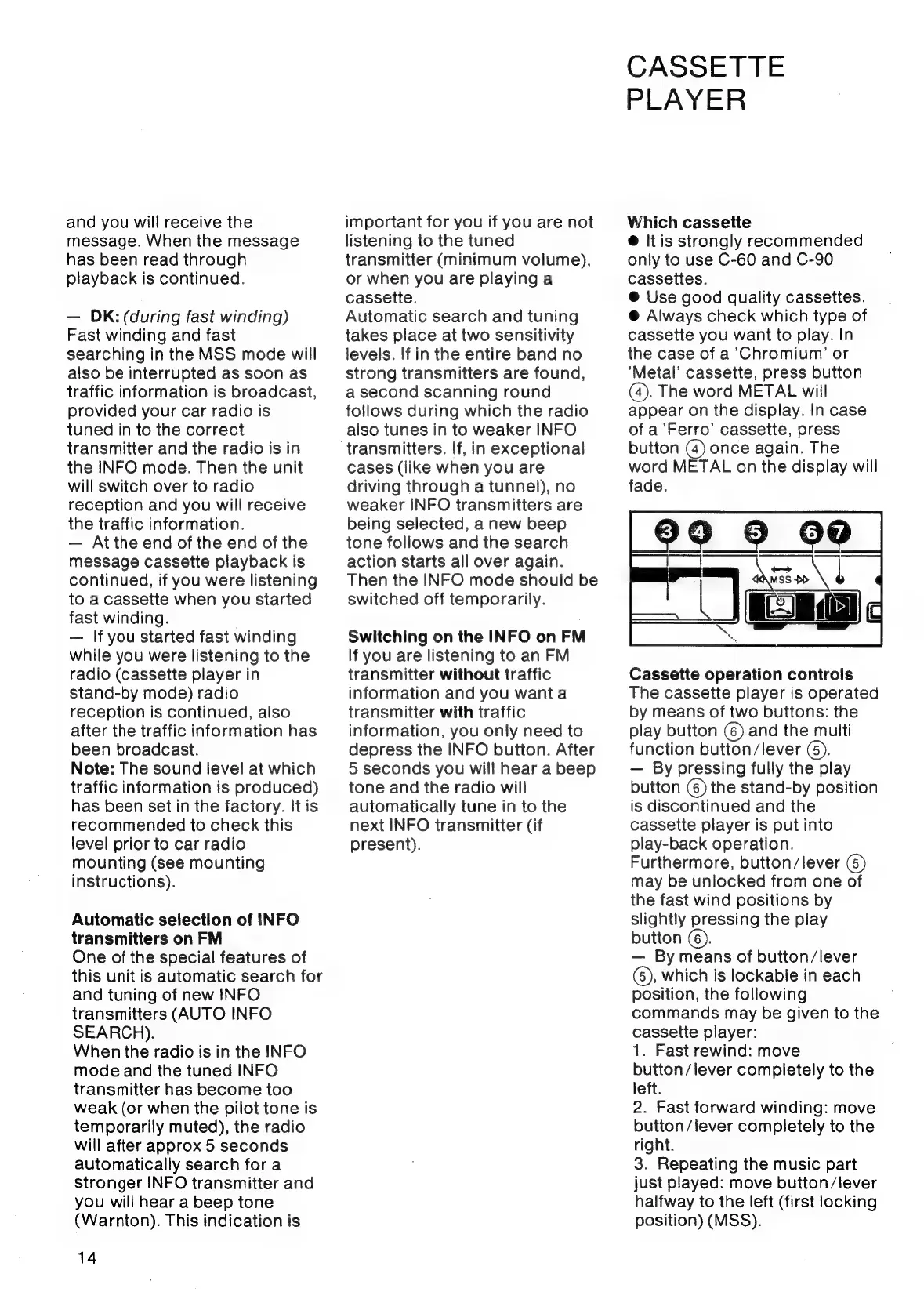
Cassette
operation
controls
The
cassette
player
is
operated
by
means
of
two
buttons:
the
play
button
(6)
and
the
multi
function
button/lever
(6).
By
pressing
fully
the
play
button
()
the
stand-by
position
is
discontinued
and
the
cassette
player
is
put
into
play-back
operation.
Furthermore,
button/lever
()
may
be
unlocked
from
one
of
the
fast
wind
positions
by
slightly
pressing
the
play
button
©).
By
means
of
button/lever
(5),
which
is
lockable
in
each
position,
the
following
commands
may
be
given
to
the
cassette
player:
1.
Fast
rewind:
move
button/lever
completely
to
the
left.
2.
Fast
forward
winding:
move
button/lever
completely
to
the
right.
3.
Repeating
the
music
part
just
played:
move
button/lever
halfway
to
the
left
(first
locking
position)
(MSS).

Related product manuals