7EN
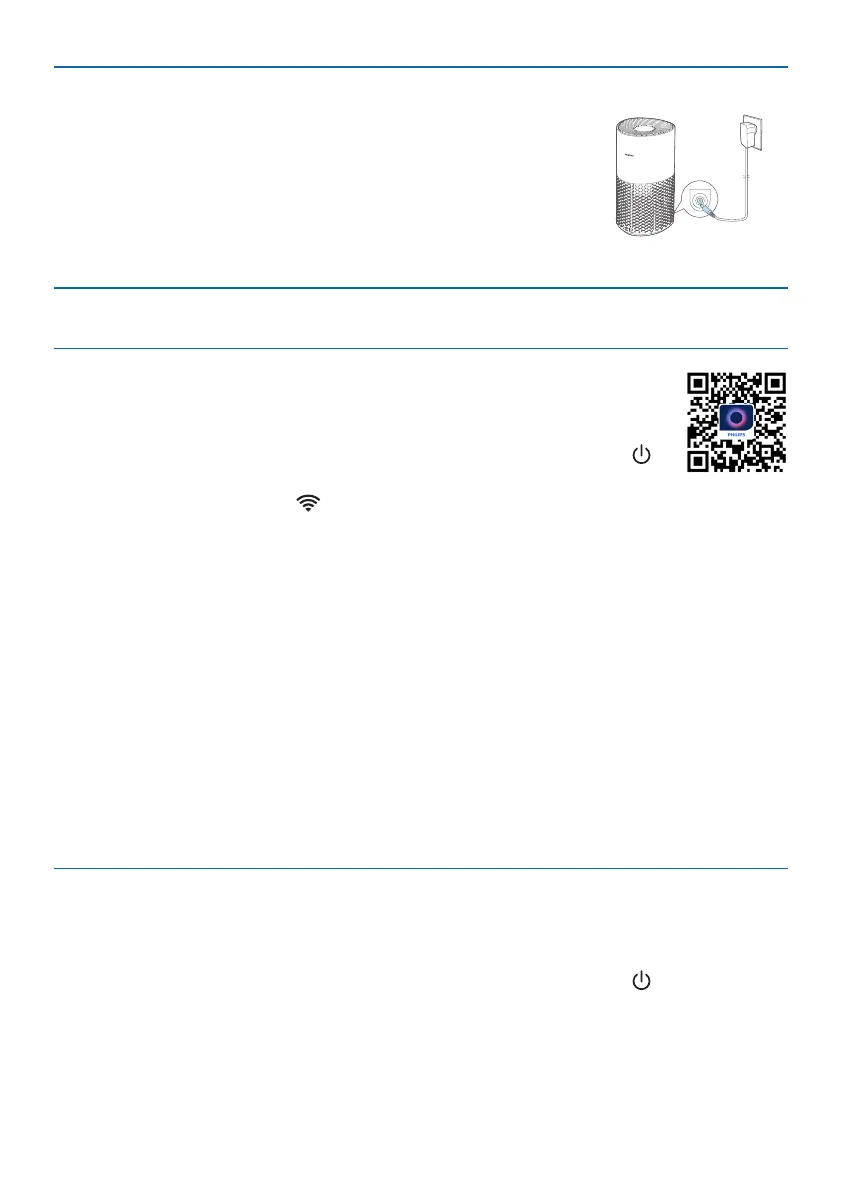
Connecting power
Note: Risk of electric shock! When you unplug the AC power
cord, always pull the plug from the socket. Never pull the
cord.
Connect the power adapter to:
• First, the power socket on the appliance.
• Then, the wall outlet.
Wi-Ficonnection
SettinguptheWi-Ficonnectionforthersttime
1 Download and install the Philips “Air+” app from the App Store or
Google Play�
2 Put the plug of the air purier in the power socket and touch to
turn on the air purier.
» The Wi-Fi indicator blinks orange for the rst time.
3 Make sure that your smartphone or tablet is successfully connected to your
Wi-Fi network.
4 Launch the “Air+” app and click on “Connect a New Device” or press the “+”
button on the top of the screen. Follow the onscreen instructions to connect
the air purier to your network.
Note:
•
This instruction is only valid when the air purier is being set up for the rst
time. If the network has changed or the setup needs to be performed again, see
Chapter “Reset the Wi-Fi connection” on page 7�
•
If you want to connect more than one air purier to your smartphone or tablet,
you have to do this one by one.
•
Make sure that the distance between your smartphone or tablet and the air
purier is less than 10 m without any obstructions.
ResettheWi-Ficonnection
Note:
•
Reset the Wi-Fi connection when your default network has changed.
1 Put the plug of the air purier in the power socket and touch to turn on the
air purier.


 To Next Page