10
There are 3 sensitivity levels:
- standard
- sensitive
- extra sensitive
The pollution sensor is set to standard sensitivity by default.
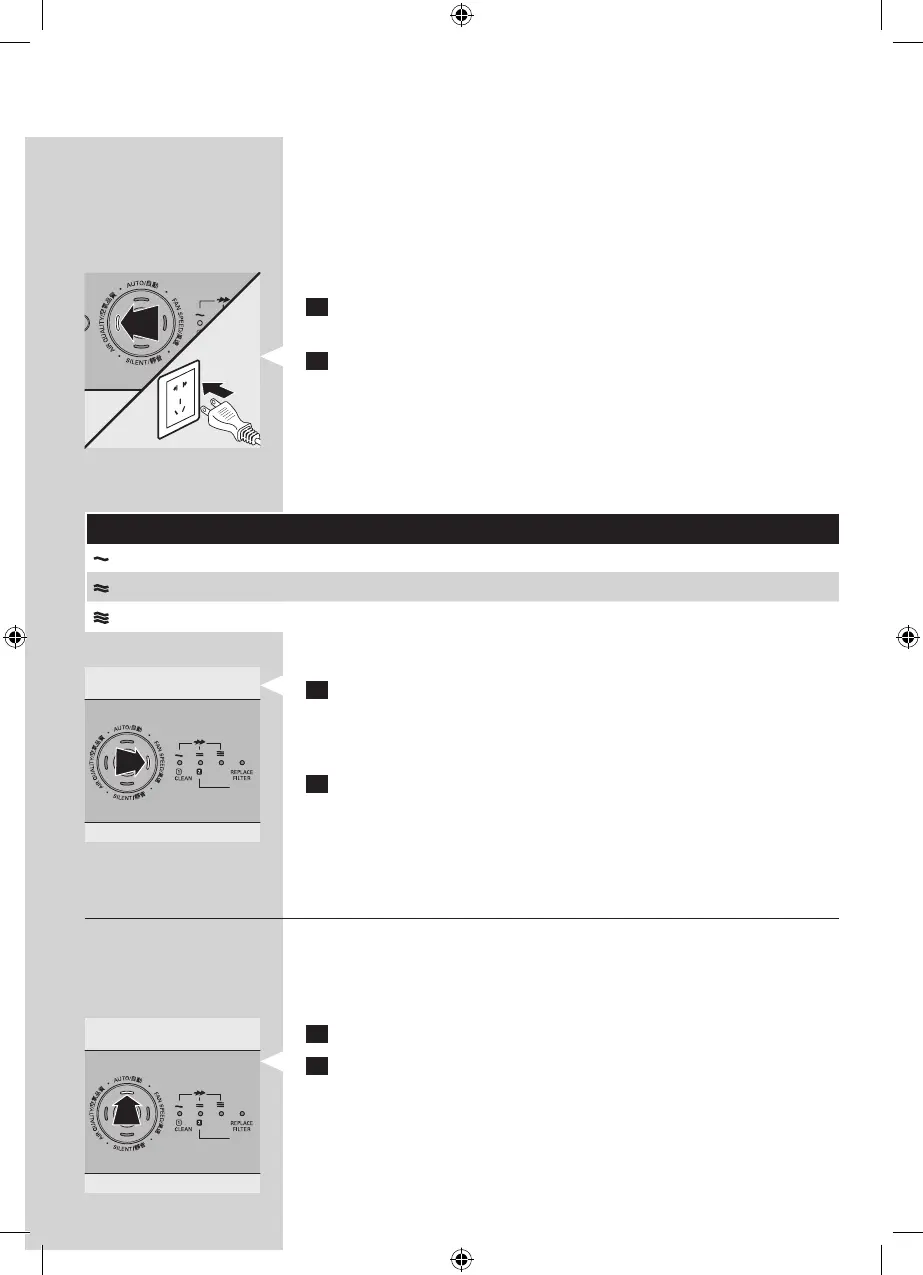
You can adjust the sensitivity of the air quality sensor in the
following way:
1 If the appliance is already plugged in, unplug the appliance
and wait for a few minutes.
2 Press the AIR QUALITY button and simultaneously put the
mains plug in the wall socket.
The appliance beeps twice and one of the fan speed lights
ashes to show the current sensitivity level of the air quality
sensor.
Sensitivity level:
Fan speed light Sensitivity level
Extra sensitive
Sensitive
Standard
3 Press the FAN SPEED button to adjust the sensitivity level
of the air quality sensor.
One of the fan speed lights ashes to show the set
sensitivity level of the air quality sensor.
4 Press the on/o button to switch o the appliance.
Note: When you change the sensitivity level, the appliance
automatically starts operating at the set sensitivity level
whenever you switch on the appliance.
Auto mode
When the appliance is switched on, the built-in air quality
sensor automatically measures the ambient air quality. When
the auto mode is activated, the appliance selects the most
appropriate fan speed for the measured air quality.
1 Press the on/o button to switch on the appliance.
2 Press the AUTO button to activate the auto mode.
Note: When the appliance is operating in another mode
and you want to activate the auto mode, simply press the
AUTO button.
The AUTO light goes on.
▊☴㏨
ᴪᨑ☴㏨
▊☴㏨
ᴪᨑ☴㏨



 To Next Page