9
Air quality indication
Colour Air quality
Blue Very good
Deep purple Good
Purple Fair
Red Bad
To switch o the air quality light ring, press the AIR QUALITY
button.
Note: The air quality light ring automatically goes on when
the appliance is switched on.
The appliance automatically starts operating in the AUTO
mode.
To switch o the appliance, press the on/o button again and
unplug the appliance.
Note: When the humidity level in the room is very high,
it is possible that condensation develops on the air
quality sensor. As a result, the AIR QUALITY light on the
control panel and the air quality light ring may indicate that
the air quality is bad even though the air quality is good. In
this case, the auto mode causes the appliance to run at
high fan speed. You can solve this by cleaning the air quality
sensor. If condensation develops frequently during periods of
high humidity, we advise you to use one of the manual speed
settings.
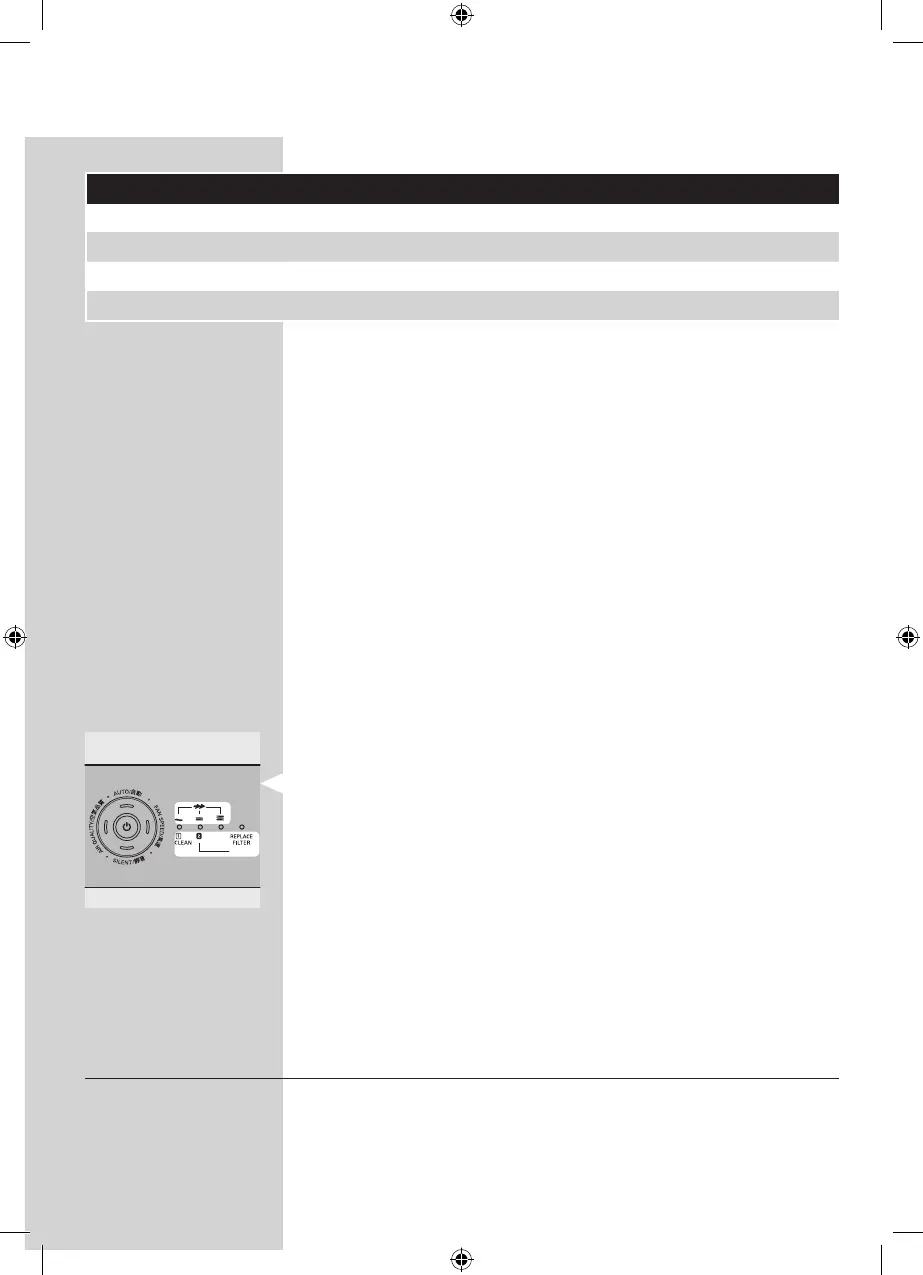
Fan speed lights/lter replacement lights
- The lights on the right-hand side of the control panel have
a dual function: they either indicate the fan speed or they
indicate that the lters should be replaced or cleaned.
- When lights 1 to 2 light up continuously, they indicate the
current fan speed.
- When light 1 ashes, you have to clean the pre-lter. When
lights 2 ashes, you have to replace the high-eciency
formaldehyde removal HEPA lter.
- When light 2 and the REPLACE FILTER light are ashing
continuously, the high-eciency formaldehyde removal
HEPA lter have to be replaced, and the appliance is locked
(see chapter ‘Filter replacement lock’ for more information).
Adjusting the air quality sensor sensitivity
People with certain health problems (e.g. allergies or
asthma) have a greater need for healthy air. For this reason, the
appliance allows you to adjust the sensitivity of the air quality
sensor. If you set it to higher sensitivity level, the appliance
starts cleaning the air at lower pollution level.
▊☴㏨
ᴪᨑ☴㏨



 To Next Page