13
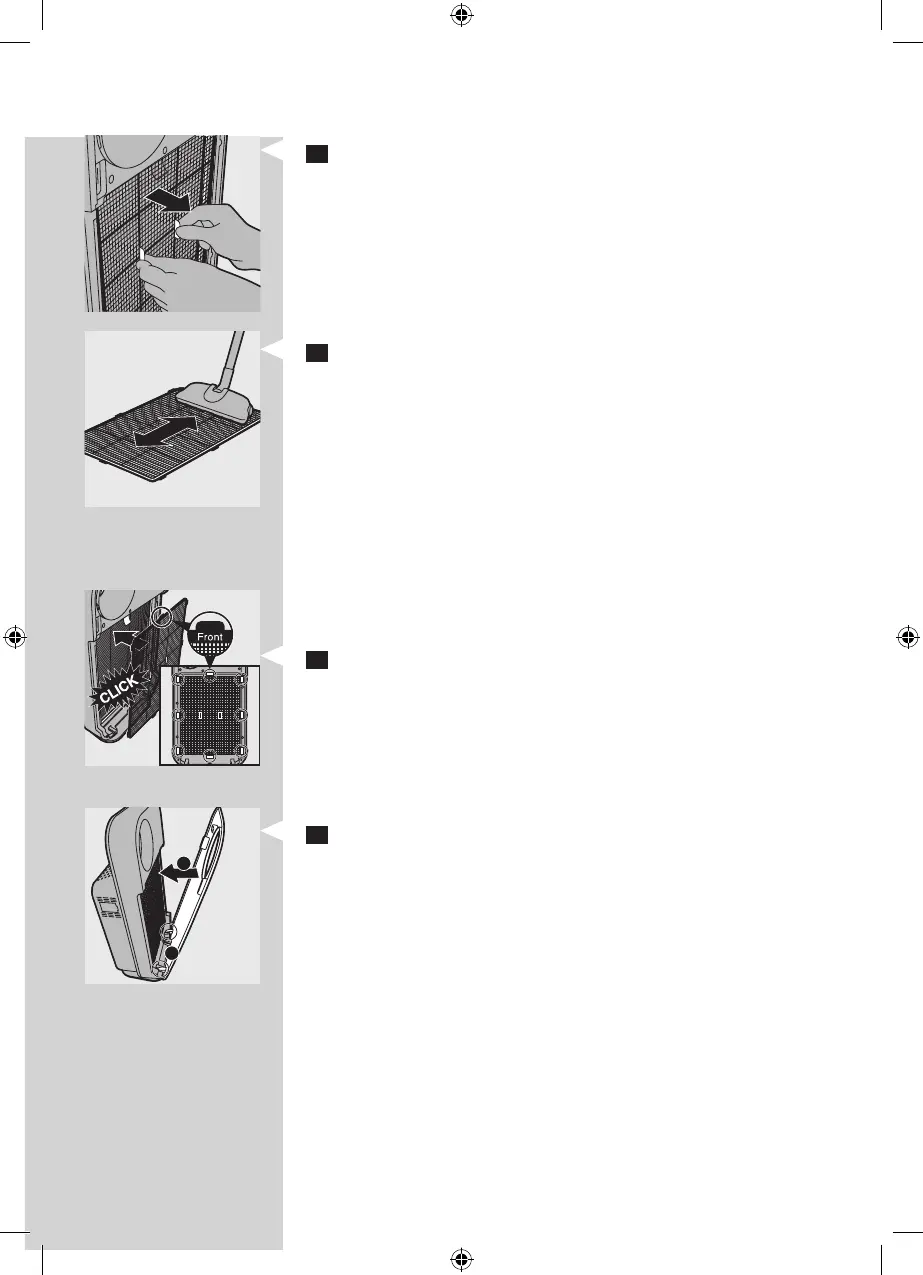
2 To remove the pre-lter, grab the two projections and pull
the lter towards you.
3 Clean the pre-lter by removing the dust with a vacuum
cleaner.
Tip: Alternatively, you can wash the pre-lter under a
running tap. If the
pre-lter is very dirty, use a soft brush to brush away the
dust. In this case, make sure that the pre-lter is completely
dry before putting it back into the air purier. If it is still wet,
bacteria may multiply in it and shorten the lifetime of the
pre-lter.
4 Put the pre-lter back into the appliance. Attach all hooks
properly to the appliance.
Note: Make sure that the side with the two projections is
pointing towards you.
5 To reattach the front panel, insert the bottom hooks
into the bottom of the appliance rst (1). Then push the
panel against the body of the appliance (2).
1
2



 To Next Page