14
Air quality sensor
Clean the air quality sensor every 2 months for optimal
functioning of the appliance. Clean it more frequently if you
use the appliance in a dusty environment.
Note: When the humidity level in the room is very high, it
is possible that condensation develops on the air quality
sensor. As a result, the AIR QUALITY light on the control
panel and the air quality light ring may indicate that the air
quality is bad even though the air quality is good. In this case
you have to clean the air quality sensor or use one of the
manual speed settings.
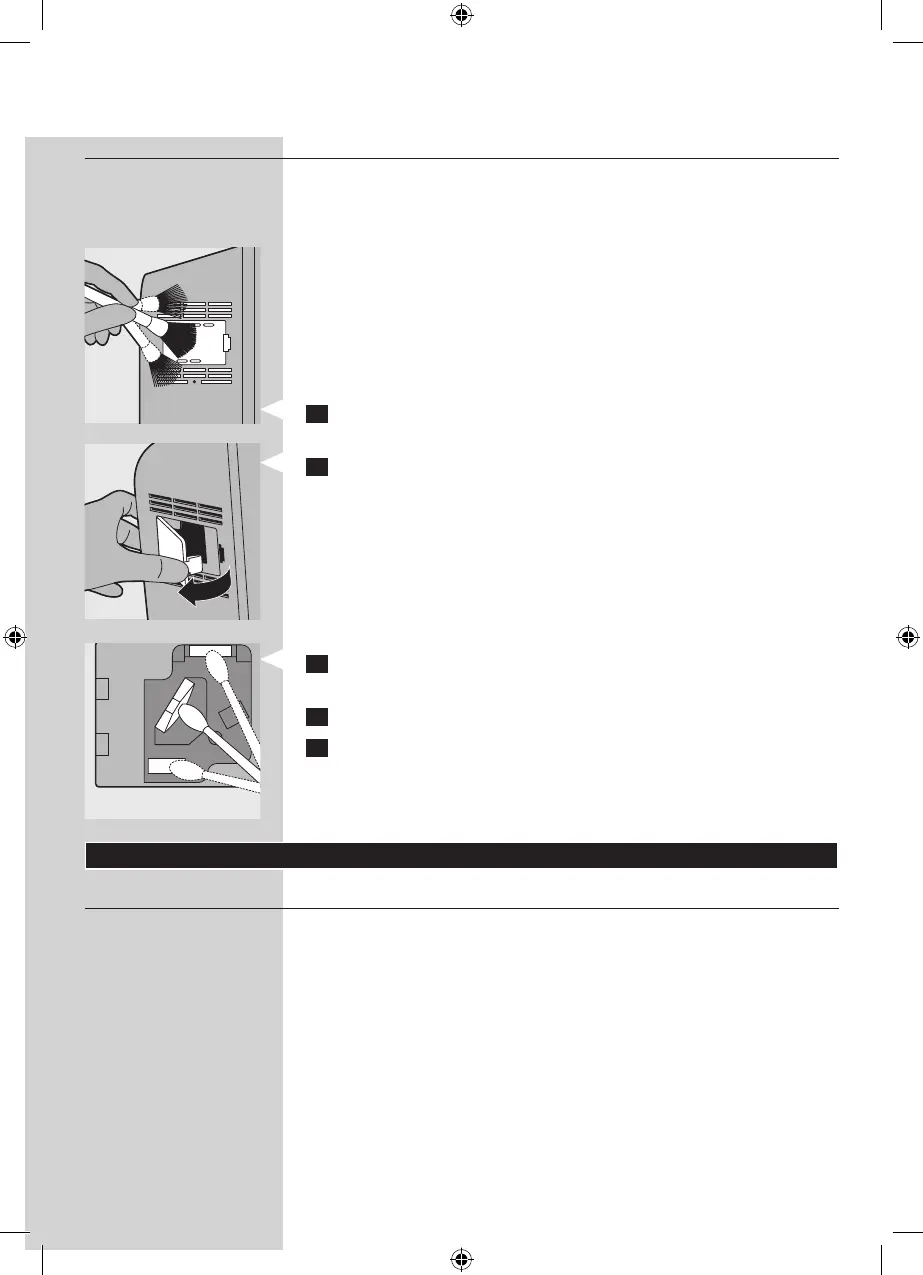
1 Clean the air quality sensor inlet and the air quality sensor
outlet with a soft brush.
2 Remove the air quality sensor cover.
3 Clean the air quality sensor, the dust inlet and the dust
outlet with a lightly moistened cotton swab.
4 Dry them with a dry cotton swab.
5 Reattach the air quality sensor cover.
Filter replacement
Filter maintenance
This appliance is equipped with the Healthy air protect lock
to ensure that the lters are in optimal condition when the
appliance is operating. When one of the lters is almost full
and has to be cleaned or replaced, the appropriate lter
replacement light starts to ash. When you do not replace
the high-eciency formaldehyde removal HEPA lter, the
appliance stops operating and the appliance is locked.
When the appliance is locked, the lter replacement light of
the lter concerned lights up on continuously.



 To Next Page