28
EN
Child lock
To keep children from using
the appliance, or to avoid any
misoperation, you can activate child
lock.
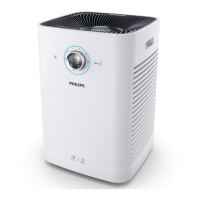
1 Press and hold the light On/Off
button for 3 seconds.
» The child lock indicator
lights up on the screen to
show that the child lock has
been activated.
3S
Note
• When the child lock is
activated, the speed knob
and all buttons will no longer
respond to any operation.
2 To deactivate the child lock,
press and hold the light On/Off
button for 3 seconds again.
» The child lock indicator goes
off.
3S
Manual
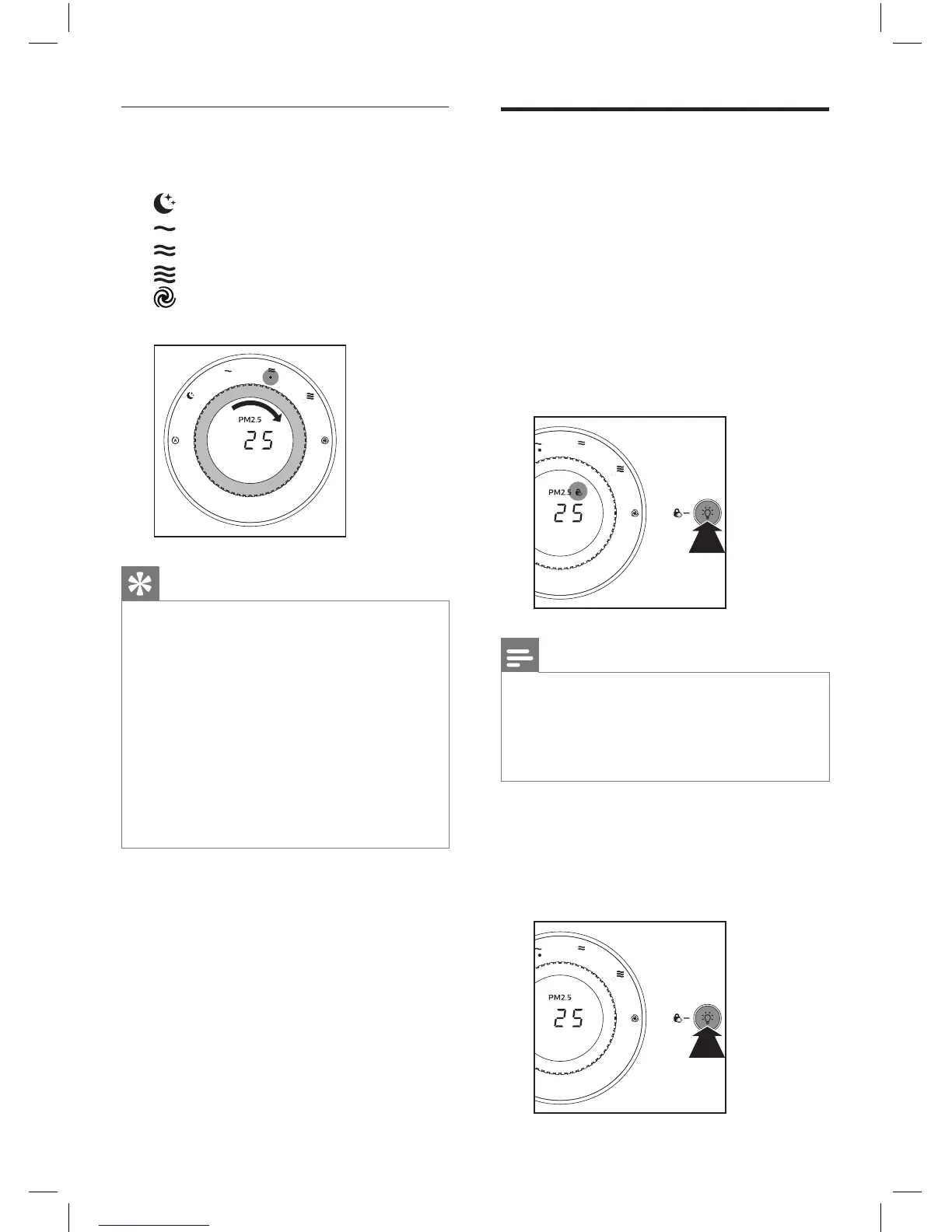
1 Turn the speed knob to select
the fan speed you need:
(Silent speed)
(Speed 1)
(Speed 2)
(Speed 3)
(Turbo speed, for AC6608
only)
Tip
• If the air quality light lights up
blue, it indicates that the air
quality is good, and you can
select a lower fan speed. On
the other hand, if the air quality
light lights up red-purple or red,
it indicates that the air quality is
unhealthy, and you can select
a higher fan speed to purify the
air more quickly.



 To Next Page