10 User manual
5 Advanced configuration
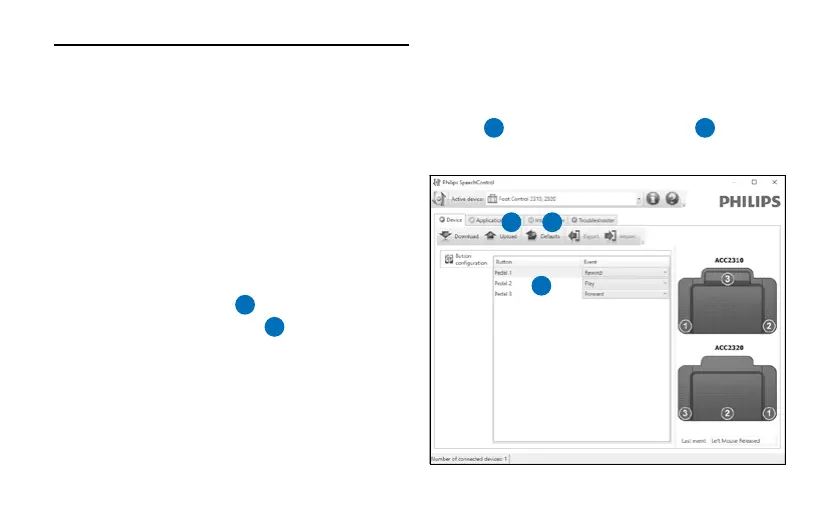
Use the Philips SpeechControl software to
change the pedal functions of the foot control
(Windows only).
1 Connect the foot control to a free USB port
on the PC.
2 Start Philips SpeechControl software.
3 Change the function of the pedals according
to your preferences.
1
4 Click the Upload button
2
to save the new
settings.
D Note
The foot control can be reset to its factory
default configuration by clicking the Defaults
button
3
. Click the Upload button
2
to save
the default settings.
1
2 3












 To Next Page