6 User manual
3 Installation
Philips SpeechControl (Windows only)
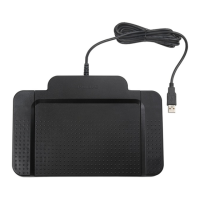
1 Connect the foot control to a free USB port
on the PC.
2 Download Philips SpeechControl software
from the website www.dictation.philips.com/
speechcontrol onto your computer.
3 On a Windows computer, extract the
downloaded file.
4 Double-click the .exe file and follow the on-
screen instructions of the set-up program to
install the software.
D Note
Administrator rights are required to install
the software. For more help, contact your
administrator.










 To Next Page