6 User manual
3 Installation
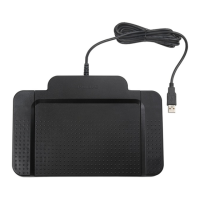
1 Connect the foot control to a free USB port
on the PC.
2 Insert the installation CD in the CD-ROM
drive. The set-up program should start
automatically. If it does not, open the CD
contents in Windows Explorer and double-
click the autorun.exe file.
3 Click the Install button.
4 Follow the on-screen instructions of the
set-up program to install the driver software
on the PC.
D Note
Administrator rights are required to install
the software. For more help, contact your
administrator.










 To Next Page