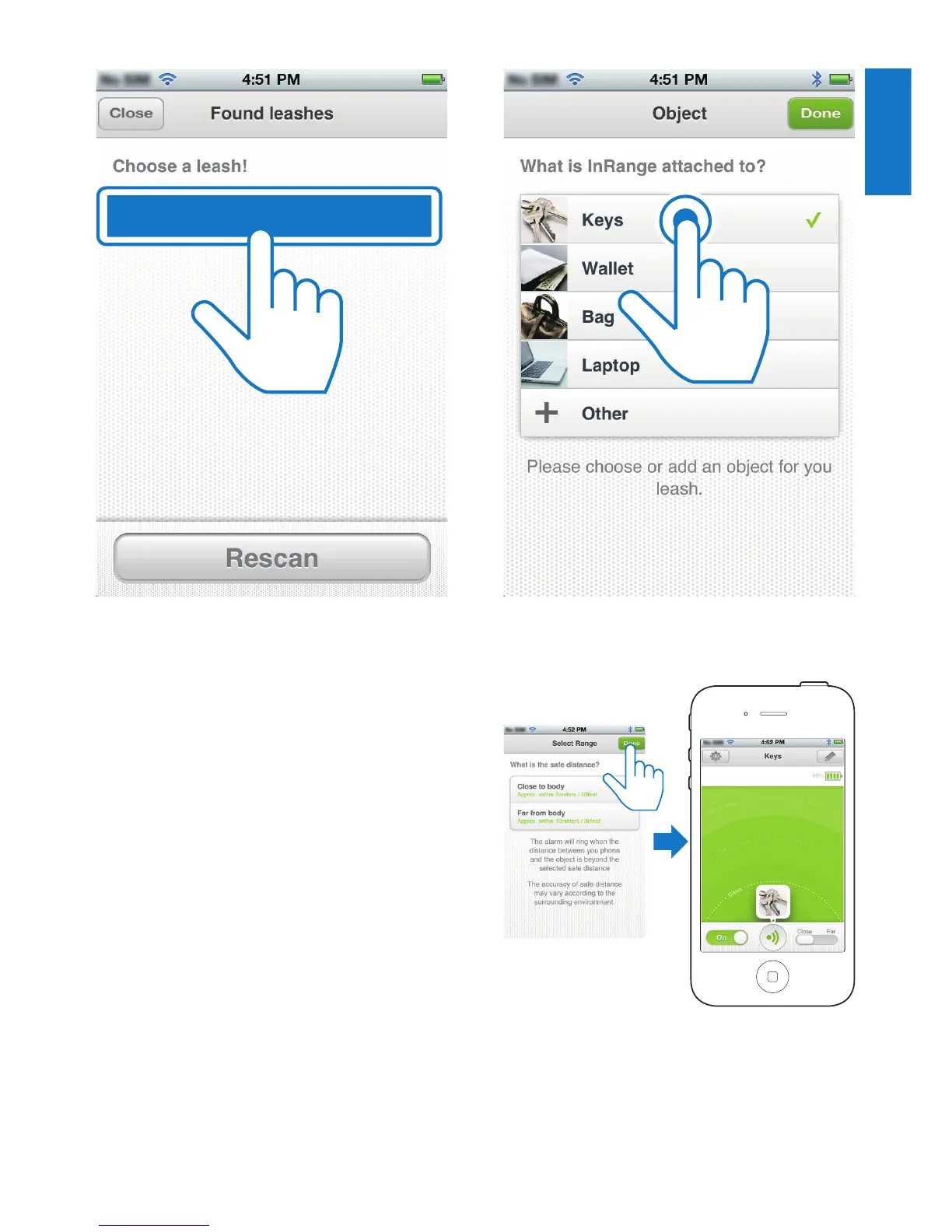
6 After successful connection, tap the
image/name of the object attached to the
InRange device.
• Ifyoucannotndamatchingimage/
name, tap Other, then follow the on-
screen instructions to take a picture
and name your object.
Philips AEA1000
7 Select a safe distance for the object to be
protected, then tap Donetonishsetup.










 To Next Page