6 EN
Set up Bluetooth connection
Note
• Before setup, make sure that you have enabled
Bluetooth on your iPhone 4S/New iPad, and the power
indicatorontheInRangedeviceashesredandgreen
alternately.
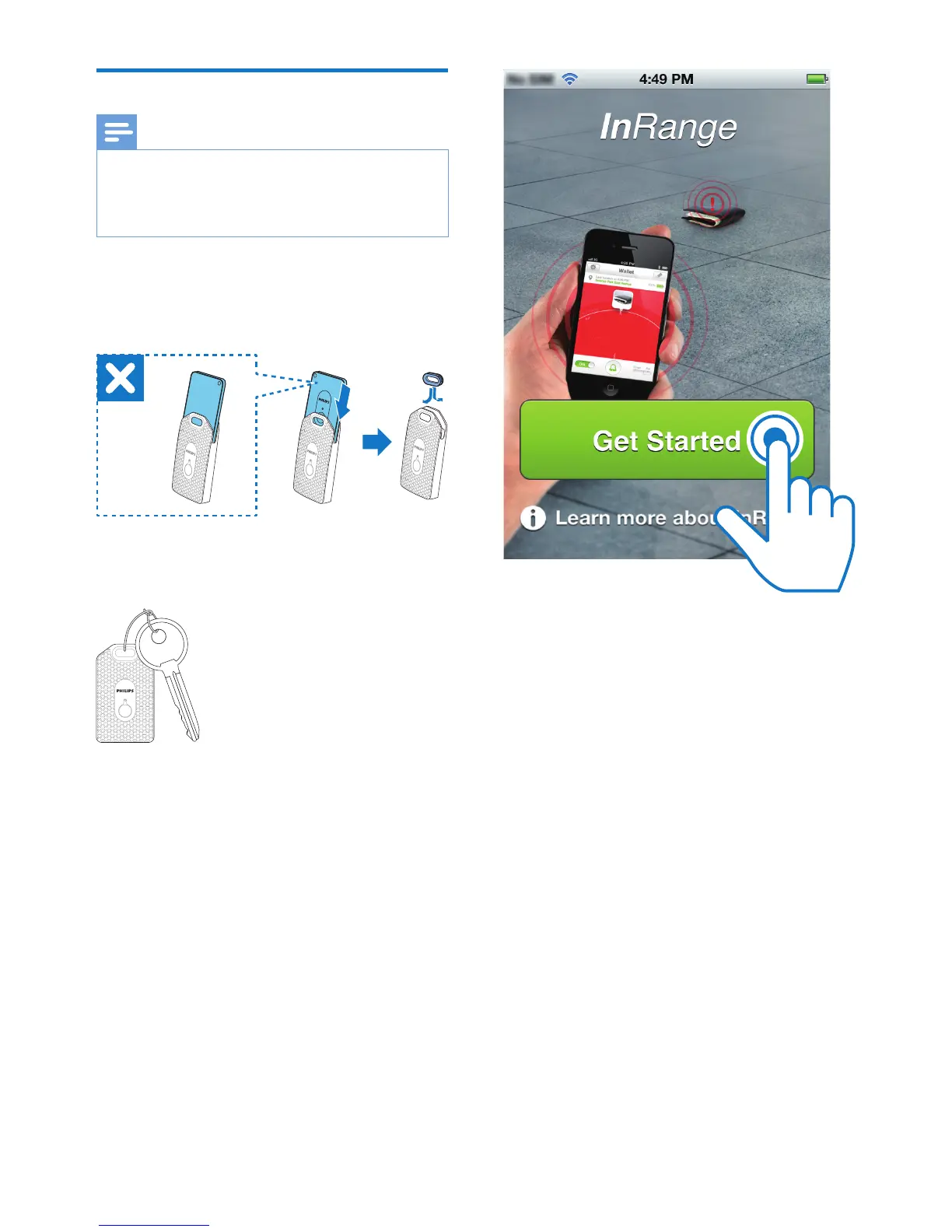
1 Put the InRange device into the protective
pouch, then use the supplied metal lock to
secure the pouch.
2 Attach the InRange device to your
valuables (objects), such as a key or bag.
3 Run Philips InRange on your iPhone 4S/
New iPad.
4 Tap Get Started.
» The iPhone 4S/New iPad starts to
search for the available InRange device.
» 'Philips AEA1000' appears on the app
screen.
5 Tap 'Philips AEA1000' to start pairing and
connection between your iPhone 4S/New
iPad and the InRange device.










 To Next Page