EasyManua.ls Logo

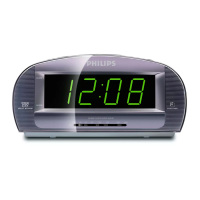
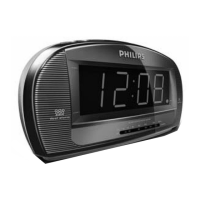
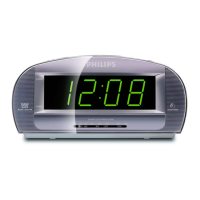
Philips AJ3540/79 - User Manual

Philips AJ3540/79
13 pages
Print Icon
To Next Page IconTo Next Page
Loading...
Clock Radio
AJ3540
User manual
Question and Answer IconNeed help?

Do you have a question about the Philips AJ3540/79 and is the answer not in the manual?

Summary

Clock Radio Controls

Top View Controls

Explanation of controls on the top panel, including time, alarm, and sleep functions.

Front View Display and Indicators

Details on the display screen, alarm indicators, and frequency pointer.

Installation and Setup

Power Supply

Instructions for connecting the power cord and checking power supply compatibility.

Display Brightness Adjustment

How to adjust the clock display brightness to high or low settings.

Clock Memory Backup

Radio Operation

Using the Radio

Steps to switch on the radio, select waveband, tune stations, and adjust volume.

Improving Radio Reception

Tips for optimizing FM and MW reception, including antenna positioning.

Setting the Clock Time

Alarm Functions

Setting the Alarm Time

Procedure for setting the desired alarm time for alarm 1 or alarm 2.

Selecting the Alarm Mode

How to choose between alarm modes like Auto (radio) or Buzz.

Alarm Management

Switching Off the Alarm

Methods to stop or cancel alarms, including 24-hour reset and complete cancellation.

Repeat Alarm (Snooze)

How to activate the snooze function for repeated alarm calls at 7-8 minute intervals.

Sleep Timer Function

Setting SLEEP

How to use the built-in timer to automatically switch off the radio after a set period.

Troubleshooting Common Issues

No Sound or Power

Possible causes and remedies for issues related to sound or power.

Radio Reception Problems

Solutions for crackling sound during FM/MW broadcasts and interference.

Alarm Malfunction

Checks for alarm not functioning, including time settings, volume, and radio mode.

Safety and Maintenance

Safety Precautions

Guidelines for safe placement, usage, and cleaning of the clock radio.

Environmental Information

Details on packaging disposal and recycling of the product.

Warranty Information (Australia)

Guarantee and Service (New Zealand)

Summary

Clock Radio Controls

Top View Controls

Explanation of controls on the top panel, including time, alarm, and sleep functions.

Front View Display and Indicators

Details on the display screen, alarm indicators, and frequency pointer.

Installation and Setup

Power Supply

Instructions for connecting the power cord and checking power supply compatibility.

Display Brightness Adjustment

How to adjust the clock display brightness to high or low settings.

Clock Memory Backup

Radio Operation

Using the Radio

Steps to switch on the radio, select waveband, tune stations, and adjust volume.

Improving Radio Reception

Tips for optimizing FM and MW reception, including antenna positioning.

Setting the Clock Time

Alarm Functions

Setting the Alarm Time

Procedure for setting the desired alarm time for alarm 1 or alarm 2.

Selecting the Alarm Mode

How to choose between alarm modes like Auto (radio) or Buzz.

Alarm Management

Switching Off the Alarm

Methods to stop or cancel alarms, including 24-hour reset and complete cancellation.

Repeat Alarm (Snooze)

How to activate the snooze function for repeated alarm calls at 7-8 minute intervals.

Sleep Timer Function

Setting SLEEP

How to use the built-in timer to automatically switch off the radio after a set period.

Troubleshooting Common Issues

No Sound or Power

Possible causes and remedies for issues related to sound or power.

Radio Reception Problems

Solutions for crackling sound during FM/MW broadcasts and interference.

Alarm Malfunction

Checks for alarm not functioning, including time settings, volume, and radio mode.

Safety and Maintenance

Safety Precautions

Guidelines for safe placement, usage, and cleaning of the clock radio.

Environmental Information

Details on packaging disposal and recycling of the product.

Warranty Information (Australia)

Guarantee and Service (New Zealand)

Philips AJ3540/79 Specifications

General IconGeneral
BrandPhilips
ModelAJ3540/79
CategoryClock Radio
Display TypeLED
Presets20
AlarmYes
Alarm TypeBuzzer, Radio
Dual AlarmYes
Snooze functionYes
Sleep timerYes
Power SourceAC
Backup batteryYes
Speaker Output1 W
Tuner BandsFM

Related product manuals