6 Other features
Set the sleep timer
You can set the clock radio to turn off automatically after a certain
period of time.
1 Press SLEEP/ALARM RESET repeatedly to select time (in
minutes).
The apparatus turns off automatically after the set period of »
time.
To turn off the sleep timer:
1 Press SLEEP/ALARM RESET repeatedly until [OFF] (off)
appears or press RADIO ON/OFF.
» is displayed when sleep timer is on and disappears when
it is off.
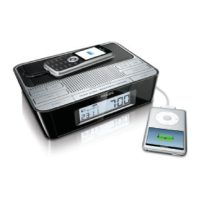
Charge a mobile phone (See 3)
D Note
The accompanied charging adapters do not support all types of •
mobile phones. Refer to the appended compatibility sheet to see
if your phone is supported.
1 Press PRESS TO OPEN to open the compartment.
2 Select a charger adapter that matches your mobile phone.
3 Take out the cable with a connector.
4 Connect the charger adapter to .
the connector or the USB charging cable (not supplied)•
your mobile phone.•
After charging fi nishes,
1 Disconnect the device from the charge adapter.


 To Next Page