9EN
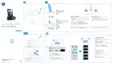
Switch to standby
Press and hold again to switch the unit to
standby mode.
» The time and date (if set) appear on
the display panel.
Select source
Press SOURCE repeatedly to select from
DOCK 1/Dock 2, FM and AUDIO IN.
Set time and date
1
In standby mode, press and hold SET TIME
for 2 seconds.
» [12H ] begins to blink, and you can
hear a beep.
2 Press TUNE+ or TUNE- to select the
12/24 hour format.
3 Press OKWRFRQÀUP
» 00:00 will display, and the hour digits
begin to blink.
4 Repeat steps 2-3 to set the hour, minute,
month, day and year.
Tip
In 12 hour format, [MONTH--DAY] is displayed.
in 24 hour format, [DAY--MONTH] is displayed.
Note
When iPod/iPhone/iPad is connected, the docking
unit synchronizes time from the iPod/iPhone/iPad
automatically.



 To Next Page