6 EN
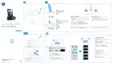
Overview of the main unit
a VOL +/VOL -
Increase/decrease volume.
b
DOCK 1
In Dock 1 mode, start or pause play.
In other modes, select Dock 1 source.
c SET TIME
In standby mode, set month, day and
year.
In other modes, enable/disable either
DBB (Dynamic Bass Boost) or DSC
(Digital Sound Control) sound effect.
PRE
SET
PRE
SET
TUNE
TUNE
PROG
/
SCAN
SET
TIME
VOL
VOL
SNOOZE
BRIGHTNESS
AL
1
AL 2
AC
~
FM
ANTENNA
N
IOIDUA
a
c
b
d
e
f
g
m
n
p
o
q
l
k
j
i
f
h
In dock mode, press and hold to
search within a track.
In FM mode, select FM stereo or FM
mono.
d PROG/SCAN
Program radio stations.
Automatically scan for radio stations.
In dock mode, press and hold to
search within a track.



 To Next Page