EasyManua.ls Logo

Philips AK640 - Page 8

Philips AK640
16 pages
Print Icon
To Next Page IconTo Next Page
To Previous Page IconTo Previous Page
Loading...
English
OPERATION
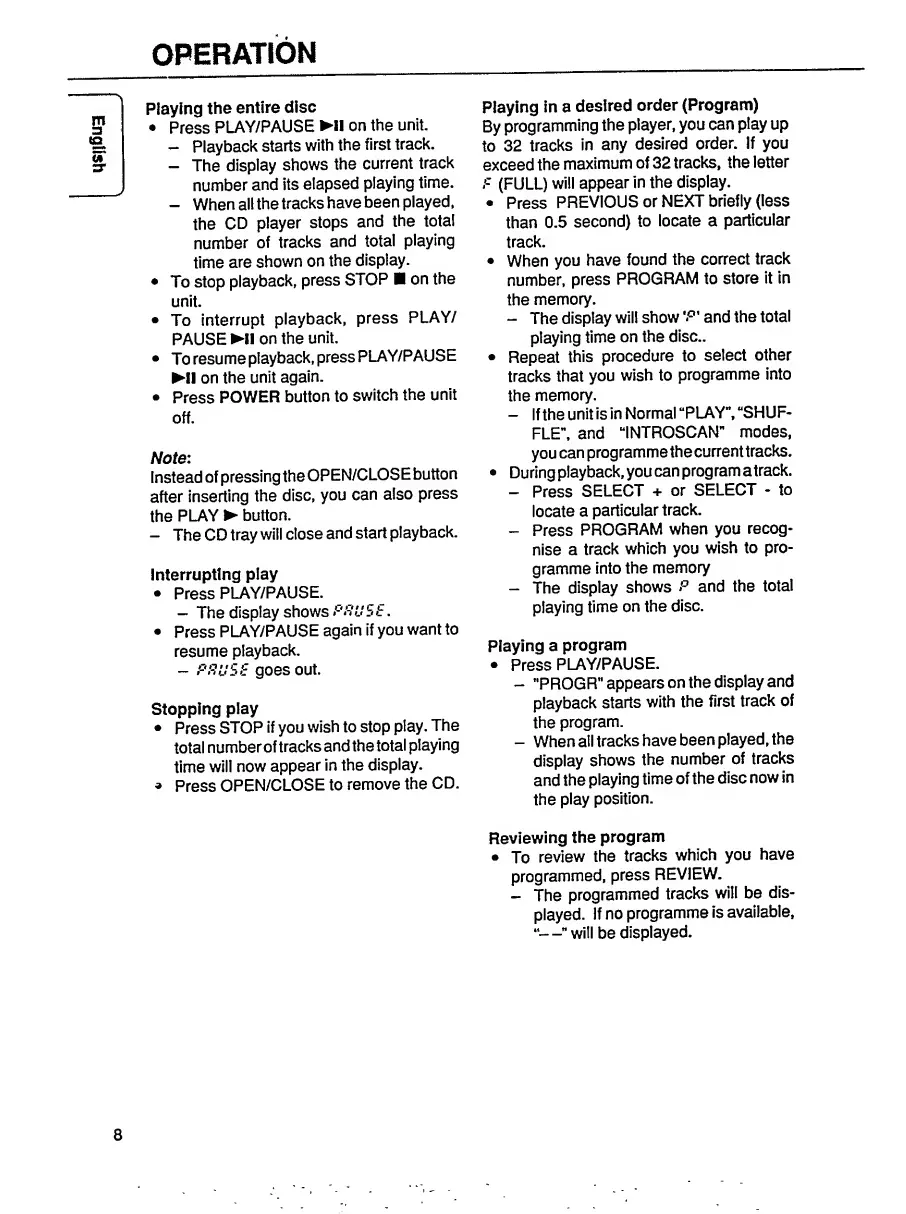
Playing
the
entire
disc
Press
PLAY/PAUSE
Ml
on
the
unit.
-
Playback
starts
with
the
first
track.
-
The
display
shows
the
current
track
number
and
its
elapsed
playing
time.
-
When
all
the
tracks
have
been
played,
the
CD
player
stops
and
the
total
number
of
tracks
and
total
playing
time
are
shown
on
the
display.
To
stop
playback,
press
STOP
on
the
unit.
To
interrupt
playback,
press
PLAY/
PAUSE
Ml
on
the
unit.
To
resume
playback,
press
PLAY/PAUSE
Ml
on
the
unit
again.
Press
POWER
button
to
switch
the
unit
off.
Note:
Instead
of
pressing
the
OPEN/CLOSE
button
after
inserting
the
disc,
you
can
also
press
the
PLAY
button.
-
The
CD
tray
will
close
and
start
playback.
Interrupting
play
Press
PLAY/PAUSE.
-
The
display
shows
PRUSE.
Press
PLAY/PAUSE
again
if
you
want
to
resume
playback.
-
PRUSE
goes
out.
Stopping
play
Press
STOP
if
you
wish
to
stop
play.
The
total
number
of
tracks
and
the
total
playing
time
will
now
appear
in
the
display.
»
Press
OPEN/CLOSE
to
remove
the
CD.
Playing
in
a
desired
order
(Program)
By
programming
the
player,
you
can
play
up
to
32
tracks
in
any
desired
order.
If
you
exceed
the
maximum
of
32
tracks,
the
letter
F
(FULL)
will
appear
in
the
display.
Press
PREVIOUS
or
NEXT
briefly
(less
than
0.5
second)
to
locate
a
particular
track.
When
you
have
found
the
correct
track
number,
press
PROGRAM
to
store
it
in
the
memory.
-
The
display
will
showand
the
total
playing
time
on
the
disc..
Repeat
this
procedure
to
select
other
tracks
that
you
wish
to
programme
into
the
memory.
-
If
the
unit
is
in
Normal
“PLAY”,
“SHUF¬
FLE”,
and
“INTROSCAN"
modes,
you
can
programmethecurrenttracks.
During
playback,
you
can
program
a
track.
-
Press
SELECT
+
or
SELECT
-
to
locate
a
particular
track.
-
Press
PROGRAM
when
you
recog¬
nise
a
track
which
you
wish
to
pro¬
gramme
into
the
memory
-
The
display
shows
P
and
the
total
playing
time
on
the
disc.
Playing
a
program
Press
PLAY/PAUSE.
-
"PROGR"
appears
on
the
display
and
playback
starts
with
the
first
track
of
the
program.
-
When
all
tracks
have
been
played,
the
display
shows
the
number
of
tracks
and
the
playing
time
of
the
disc
now
in
the
play
position.
Reviewing
the
program
To
review
the
tracks
which
you
have
programmed,
press
REVIEW.
-
The
programmed
tracks
will
be
dis¬
played.
If
no
programme
is
available,
“—”
will
be
displayed.
8