7 EN
Turn on
Press .
» The docking system switches to the last
selected source.
Switch to standby mode
Press again to switch the docking system to
standby mode.
» [OFF]
displayed.
Select a source
Press SOURCE repeatedly to select a source:
Bluetooth, FM tuner, or MP3 link.
Note
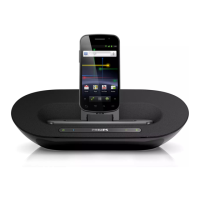
When an android-powered device is docked, the
system automatically switches to Bluetooth mode.
4 Play and charge
With this docking system, you can enjoy audio
in two ways:
through manual Bluetooth connection;
through automatic Bluetooth connection
with Philips Fidelio app.
Compatible with Android
TM
To make full use of your docking system, your
Android-powered device should satisfy the
following requirements:
With Android operation system (Version
With Bluetooth software (Version 2.1 or
With a micro USB connector.
For other devices with micro USB connector
and Bluetooth, you can still use the docking
system to do the the following:
Charge your device through the USB
connector;
Enjoy audio through Bluetooth.
Tip
Play audio through manual
Bluetooth connection
The docking system uses Bluetooth wireless
technology to stream music from your portable
device to the system.



 To Next Page