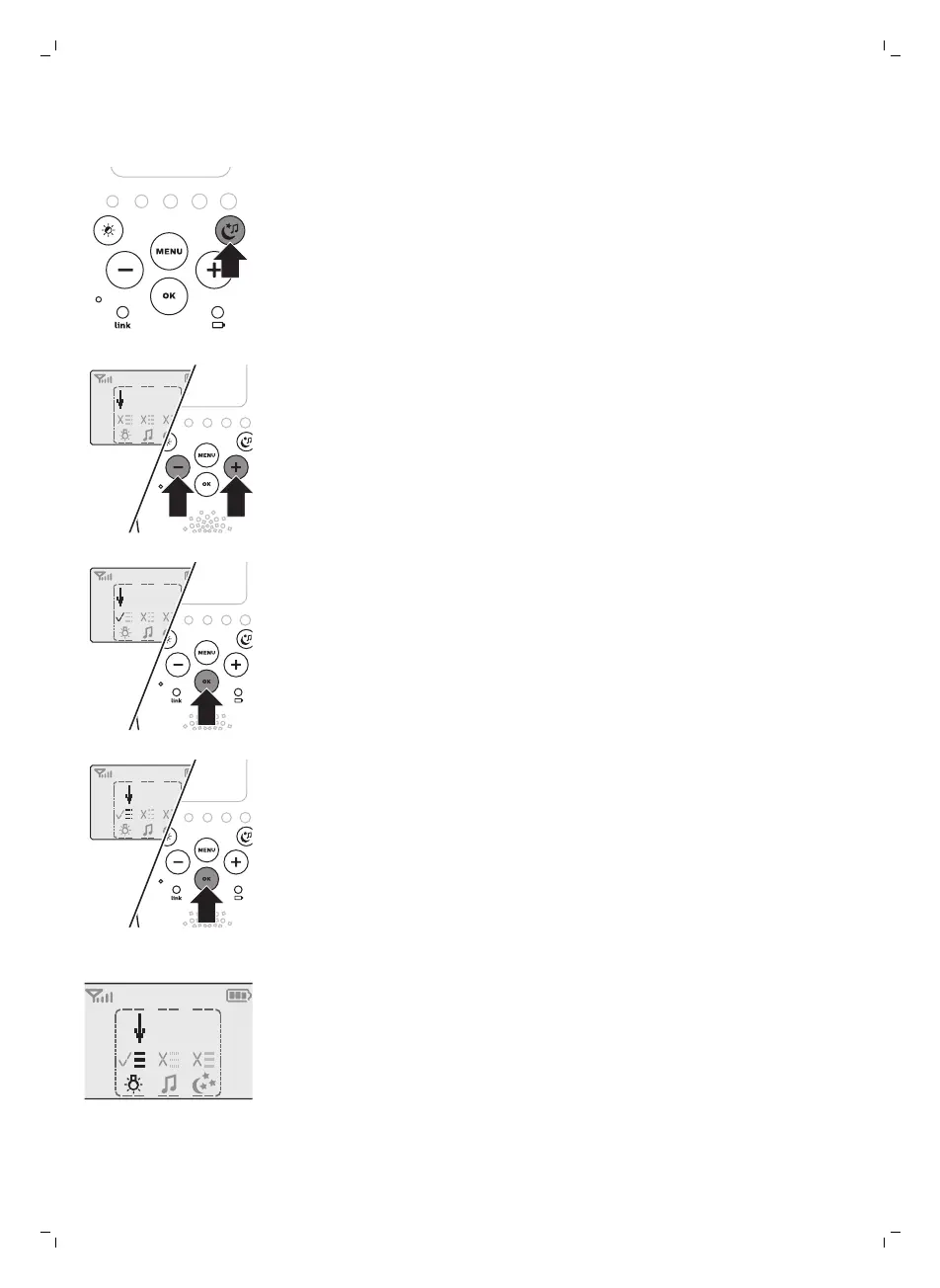
soothing button. This screen allows you to operate the nightlight, the
lullabies and the projector on the baby unit remotely.
1 To open the soothing menu, press the soothing button.
2 Use the + and - buttons to point the arrow to a soothing feature.
3 To switch on a soothing feature when it is off or to switch it off when it is
on, press OK. When the feature is on, there is a tick above the symbol of
the feature. When the feature is off, there is a cross above the symbol of
the feature.
4 To open the menu with options for the feature, move the arrow over the
options field and press OK. Use the - and + buttons to select items in the
options field.
5 To leave the soothing menu, press the soothing button.
Nightlight
This soothing feature allows you to switch the nightlight on or off and to set
the nightlight timer.
1 Select the nightlight feature and open the menu with nightlight options.
11
English







 To Next Page