EasyManua.ls Logo

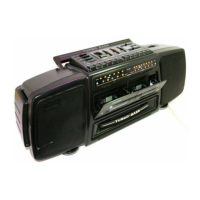
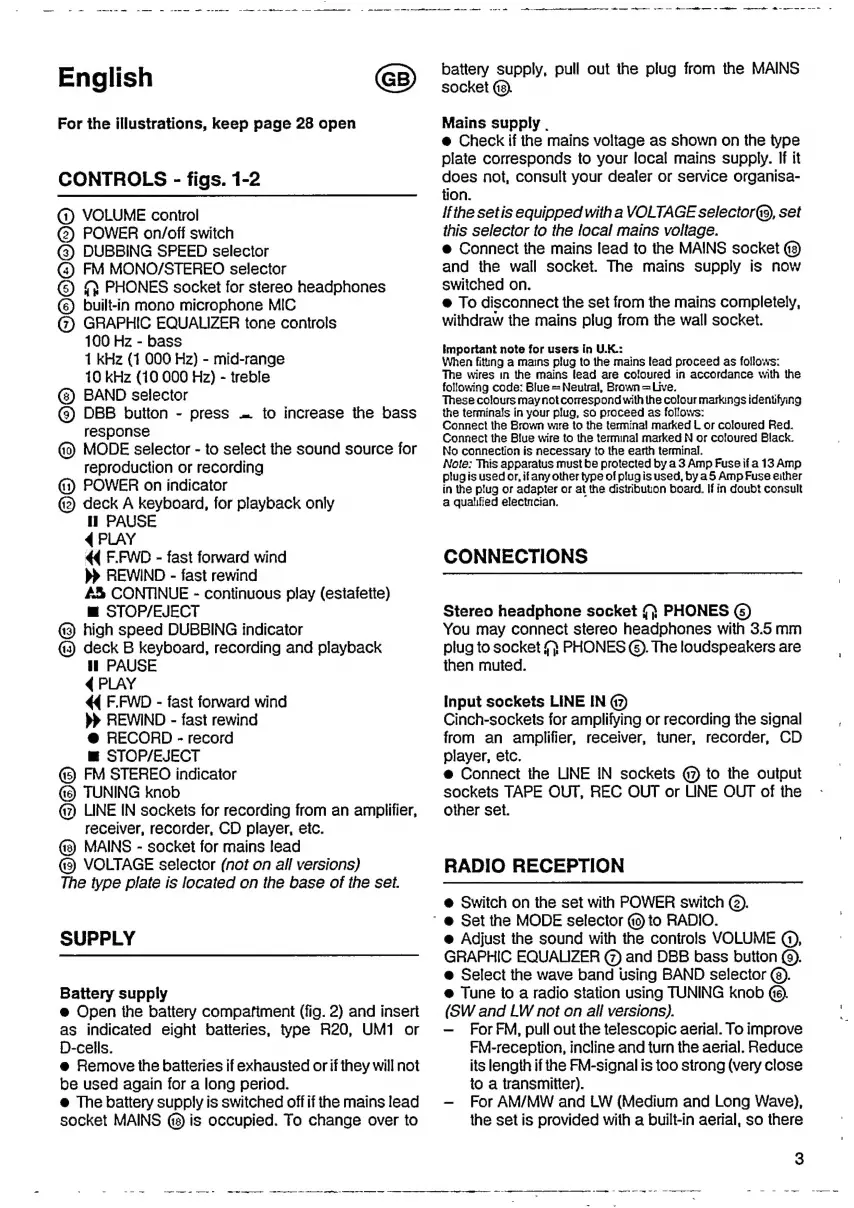
Philips AW 7590 - CONTROLS AND OPERATION; Main Controls and Settings; Input, Output, and Indicators; Cassette Deck Functions

Philips AW 7590
Print Icon
To Next Page IconTo Next Page
To Previous Page IconTo Previous Page
Loading...
-
-.----
oe
---
-
-..-.
--
-----.
-———
<
ан
ee
English
For
the
illustrations,
keep
page
28
open
CONTROLS
-
figs.
1-2
(1)
VOLUME
control
(2)
POWER
on/off
switch
(3)
DUBBING
SPEED
selector
G)
FM
MONO/STEREO
selector
©
N
PHONES
socket
for
stereo
headphones
(6)
built-in
mono
microphone
MIC
(7)
GRAPHIC
EQUALIZER
tone
controls
100
Hz
-
bass
1
kHz
(1
000
Hz)
-
mid-range
10
kHz
(10
000
Hz)
-
treble
BAND
selector
©
DBB
button
-
press
=
to
increase
the
bass
response
MODE
selector
-
to
select
the
sound
source
for
reproduction
or
recording
(1)
POWER
on
indicator
(2)
deck
A
keyboard,
for
playback
only
П
PAUSE
4
PLAY
44
F.FWD
-
fast
forward
wind
REWIND
-
fast
rewind
AS
CONTINUE
-
continuous
play
(estafette)
m
STOP/EJECT
@3)
high
speed
DUBBING
indicator
oa
deck
В
keyboard,
recording
and
playback
П
PAUSE
4
PLAY
44
F.FWD
-
fast
forward
wind
REWIND
-
fast
rewind
@
RECORD
-
record
Ш
STOP/EJECT
(5)
FM
STEREO
indicator
TUNING
knob
(2
LINE
IN
sockets
for
recording
from
an
amplifier,
receiver,
recorder,
CD
player,
etc.
MAINS
-
socket
for
mains
lead
VOLTAGE
selector
(not
on
all
versions)
The
type
plate
is
located
on
the
base
of
the
sel.
SUPPLY
Battery
supply
e
Open
the
battery
compafiment
(fig.
2)
and
insert
as
indicated
eight
batteries,
type
R20,
UM1
or
D-cells.
e
Remove
the
batteries
if
exhausted
or
if
they
will
not
be
used
again
for
a
long
period.
e
The
battery
supply
is
switched
off
if
the
mains
lead
socket
MAINS
(3)
is
occupied.
To
change
over
to
A
=.
аа
а
ën
сш
в
nt
ele
pe
li
ee
ee
e
battery
supply,
pull
out
the
plug
from
the
MAINS
socket
(8).
Mains
supply
.
e
Check
if
the
mains
voltage
as
shown
on
the
type
plate
corresponds
to
your
local
mains
supply.
If it
does
not,
consult
your
dealer
or
service
organisa-
tion.
Ifthe
setis
equipped
with
a
VOLTAGE
selector(9,
set
this
selector
to
the
local
mains
voltage.
ө
Connect
the
mains
lead
to
the
MAINS
socket
and
the
wall
socket.
The
mains
supply
is
now
switched
on.
@
To
disconnect
the
set
from
the
mains
completely,
withdraw
the
mains
plug
from
the
wall
socket.
Important
note
for
users
in
U.K.:
When
fiting
a
mams
plug
to
the
mains
lead
proceed
as
follows:
The
wires
in
the
mains
lead
are
coloured
in
accordance
with
the
following
code:
Blue
=
Neutral,
Brown
=
Live.
These
colours
may
not
correspond
with
the
colour
markings
identifying
the
terminals
in
your
plug,
so
proceed
as
follows:
Connect
the
Brown
wire
to
the
terminal
marked
L
or
coloured
Red.
Connect
the
Blue
wire
to
the
terminal
marked
N
or
coloured
Black.
No
connection
is
necessary
to
the
earth
terminal.
Note:
This
apparatus
must
be
protected
by
a
3
Amp
Fuse
if
a
13
Amp
plugis
used
or,
if
any
other
type
of
plug
is
used,
by
a5
Amp
Fuse
either
in
the
plug
or
adapter
or
at
the
distribution
board.
If
in
doubt
consult
a
Qualified
electncian.
CONNECTIONS
Stereo
headphone
socket
{f}
PHONES
(5)
You
may
connect
stereo
headphones
with
3.5
mm
plug
to
socket
PHONES
(5).
The
loudspeakers
are
then
muted.
Input
sockets
LINE
IN
(7)
Cinch-sockets
for
amplifying
or
recording
the
signal
from
an
amplifier,
receiver,
tuner,
recorder,
CD
player,
etc.
e
Connect
the
LINE
ІМ
sockets
(47
to
the
output
sockets
TAPE
OUT,
REC
OUT
or
LINE
OUT
of
the
other
set.
RADIO
RECEPTION
e
Switch
on
the
set
with
POWER
switch
(2).
`
ө
Set
the
MODE
selector
to
RADIO.
e
Adjust
the
sound
with
the
controls
VOLUME
Q),
GRAPHIC
EQUALIZER
(7)
апа
DBB
bass
button
(9).
e
Select
the
wave
band
using
BAND
selector
(8).
e
Tune
to
a
radio
station
using
TUNING
knob
(SW
and
LW
not
on
all
versions).
For
FM,
pull
out
the
telescopic
aerial.
To
improve
FM-reception,
incline
and
turn
the
aerial.
Reduce
its
length
if
the
FM-signal
is
too
strong
(very
close
to
a
transmitter).
For
AM/MW
and
LW
(Medium
and
Long
Wave),
the
set
is
provided
wiih
a
built-in
aerial,
so
there

Other manuals for Philips AW 7590

Related product manuals