RECORDING MAINTENANCE
17
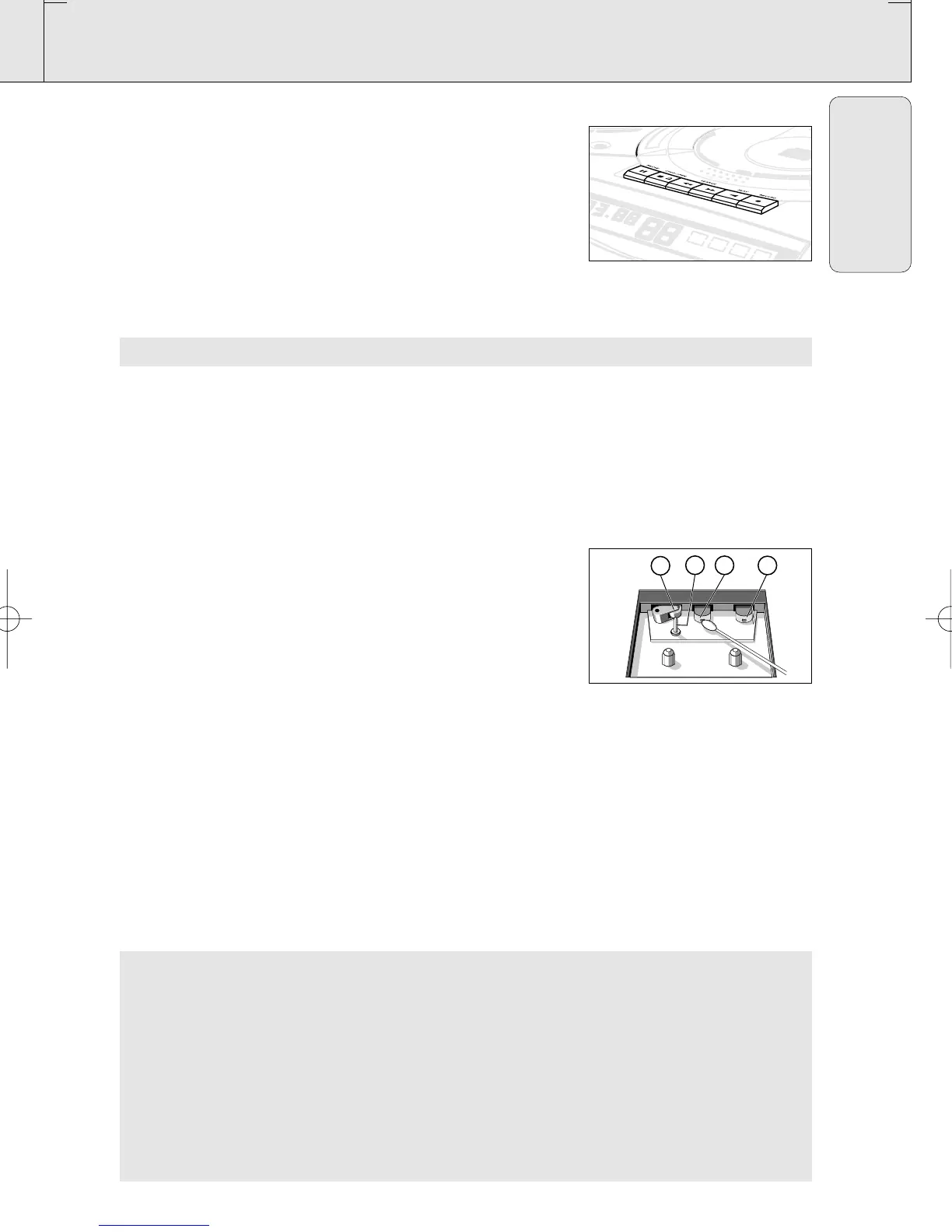
Recording from the radio
1. Tune to the desired radio station (See Tuning to radio sations).
2. Press STOP•OPEN 9/ to open the cassette door.
3. Insert a suitable cassette into the cassette deck and close the
cassette door.
4. Press RECORD 0 to start recording.
5. For brief interruptions, press PAUSE ;. To resume recording,
press PAUSE ; again.
6. To stop recording, press STOP•OPEN 9/.
MAINTENANCE
Tape deck maintenance
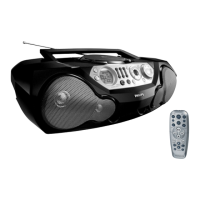
To ensure quality recording and playback of the tape deck, clean
parts A,B and C shown in the diagram below, after approx.
50 hours of operation, or on average once a month. Use a cotton
bud slightly moistened with alcohol or a special head cleaning fluid
to clean the deck.
1. Open the cassette door by pressing STOP•OPEN 9/.
2. Press PLAY 1 and clean the rubber pressure roller C.
3. Press PAUSE ; and clean the magnetic heads A and also the
capstan B .
4. After cleaning, press STOP•OPEN 9/.
Note: Cleaning of the heads can also be done by playing a
cleaning cassette through once.
AZ 2030-35 /17 page 17
English
Environmental information
All unnecessary packaging material has been omitted. We have tried to make the packaging easy
to separate into three mono-materials: cardboard (box), expandable polystyrene (buffer),
polyethylene (bags, protective foam).
Your set consists of materials which can be recycled if disassembled by a specialized
company. Please observe the local regulations regarding the disposal of packing
materials, dead batteries and old equipment.
AZ 2030-2035/17
PLAY
STOP
CD MODE
• • • SEARCH
SEARCH • • •
PROG
BAND
PRESET
FM
FM
STEREO
BATT
LOW
DIGITAL TUNER
B AASS REFLEX SPEAKER SYSTEM
XP AZ 203x/17.2 09-01-2001 15:25 Pagina 17



 To Next Page