EasyManua.ls Logo

Philips AZ1007 - User Manual

Philips AZ1007
38 pages
Print Icon
To Next Page IconTo Next Page
Loading...
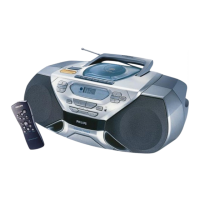
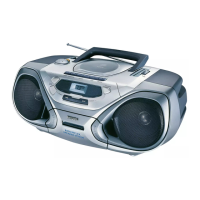
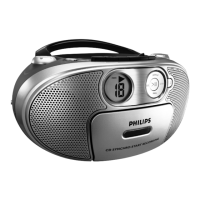
CD Radio Cassette Recorder
AZ 1007
Toll Free Help Line
Ligne d'assistance en service libre
Linea de ayuda telefónica sin cargo
800-531-0039
RECORD
P
L
A
Y
S
E
A
R
C
H
S
T
O
P
-O
P
E
N
P
A
U
S
E
RECORD
P
L
A
Y
S
E
A
R
C
H
S
T
O
P
-O
P
E
N
P
A
U
S
E
DYNAMIC BASS BOOST
DYNAMIC BASS BOOST
S
T
O
P
S
E
A
R
C
H
P
L
A
Y
P
A
U
S
E
C
D
M
O
D
E
CD R
ADIO
CAS
SETTE RECO
RDER
CD RADIO
CASSETTE RECOR
DER
SHUFFLE
F
M
L
W
M
W
TUNNING
M
H
z
k
H
z
k
H
z
1
7
5
2
0
0
2
2
5
2
5
0
2
8
0
9
2
8
8
9
6
1
00
1
0
4
1
08
B
A
N
D
• FM
• LW
B
A
N
D
• FM
• LW
P
O
W
E
R
V
O
L
U
M
E
D
B
B
D
Y
N
A
M
I
C
B
A
S
S
B
O
O
S
T
P
O
W
E
R
V
O
L
U
M
E
D
B
B
D
Y
N
A
M
I
C
B
A
S
S
B
O
O
S
T
• FM
• MW
5
3
0
8
0
0
1
0
0
0
1
3
0
0
1
6
0
0
1
5
0
XP AZ 1007/17 19-09-2000 12:48 Pagina 1

Other manuals for Philips AZ1007

Questions and Answers

  • J
    joshua52Jul 30, 2025
    What to do if CD playback does not work on Philips AZ1007?
    • J
      James SmithJul 30, 2025
      If CD playback isn't working on your Philips CD Player, the CD may be badly scratched or dirty; in this case, replace or clean the CD. Another possible cause is that the laser lens has steamed up. Wait until the lens has acclimatized.
  • D
    David Cooper MDAug 7, 2025
    Why does my Philips AZ1007 CD Player skip tracks?
    • N
      Nancy WilliamsAug 7, 2025
      Your Philips CD Player might be skipping tracks due to several reasons. The CD may be damaged or dirty, so try replacing or cleaning it. Also, check if SHUFFLE or PROGRAM mode is active and quit these modes. Ensure the power cord is securely connected and that batteries are fresh and correctly inserted.
  • J
    Joseph RodriguezAug 15, 2025
    How to fix a Philips CD Player with no sound?
    • P
      Patrick HayesAug 15, 2025
      If your Philips CD Player has no sound, first ensure that the VOLUME is properly adjusted. Also, check if headphones are connected and disconnect them.
  • A
    Andrea HumphreyAug 22, 2025
    Why is the cassette sound quality poor on my Philips CD Player?
    • K
      Kimberly WalkerAug 22, 2025
      Poor cassette sound quality on your Philips CD Player may be due to dust and dirt on the heads. Clean the deck parts. Also, only use NORMAL (IEC I) cassette types for recording, as METAL or CHROME cassettes are incompatible.

Summary

Safety Symbols Explained

Understanding Hazard Icons

Explains the meaning of safety symbols like "bolt of lightning" and "exclamation point" for user awareness.

Essential Safety Instructions

General Operating Safety Rules

Covers crucial safety guidelines like avoiding water, proper cleaning, and ensuring ventilation.

Electrical and Plug Safety

Details safety regarding polarized plugs, power cords, accessories, and unplugging during storms.

Servicing and Equipment Safety

Emphasizes referring all servicing to qualified personnel to avoid hazards and maintain safety.

Limited Warranty and Exchange

Controls and Power

CD Player Functions

Playing and Navigating CDs

Step-by-step guide for playing CDs, pausing, resuming, stopping, and selecting tracks.

Cassette Player Operations

Maintenance and Cleaning

CD Player and Disc Handling

Provides instructions on handling CDs and maintaining the CD player's lens and compartment.

Tape Deck Head Cleaning

Details the recommended procedures for cleaning the tape deck's magnetic heads, rollers, and capstans.

Troubleshooting and Environmental Info

Solving Common Operational Issues

Lists typical problems encountered and their solutions for sound, CD, and cassette playback.

Addressing Recording Problems

Provides remedies for issues related to cassette recording, such as broken tabs or incompatible tape types.

Philips AZ1007 Specifications

General IconGeneral
BrandPhilips
ModelAZ1007
CategoryCD Player
LanguageEnglish

Related product manuals