English
CONTROLS
8
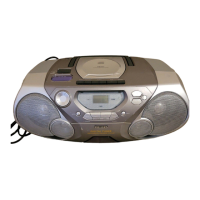
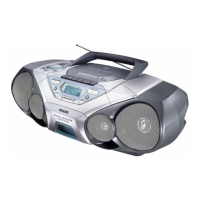
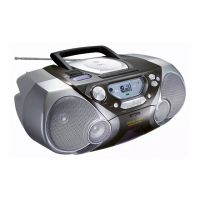
TOP AND FRONT PANELS
1 VOLUME -
adjusts the volume level
2 REMOTE SENSOR -
infrared sensor for remote control
3 DBB (Dynamic Bass Boost) -
enhances the bass
4 POWER slider -
selects the sound source for CD/ TUNER/
TAPE/
OFF and also switches the set off
5 Function indicators - lights up if the
respective CD, tape or tuner function is in use
6 Display - shows the status of the set
7 p - 3.5 mm stereo headphone jack
Note: Connecting headphones will switch off
the speakers.
8 CASSETTE RECORDER keys:
PAUSE ; - interrupts recording or playback
STOP•OPEN 9/
- stops the tape;
- opens the cassette compartment
SEARCH 5 / 6 - fast winds/rewinds the
tape
PLAY 1 - starts playback
RECORD 0 - starts recording
9 BATT LOW - indicates when battery power
is running low
0 OPEN•CLOSE - opens/ closes the CD door
! MODE - selects a different play mode for CD
playback e.g. repeats tracks or
SHUFFLE, plays tracks in random order
@ Cassette door
# SEARCH ∞ / § -
Radio: - (down/up) tunes to radio stations;
CD: - searches back and forward within a
track;
- skips to the beginning of a current
track/ previous/ subsequent track
$ PLAY•PAUSE 2; -
starts or interrupts CD playback
% STOP 9 - stops CD playback or erase a
CD program
^ PROG -
Radio: programs preset radio stations;
CD: programs tracks and reviews the
program
& PRESET 3 ,4 (up, down) -
selects a tuner preset station
* BAND - selects waveband
BACK PANEL
( Telescopic antenna - improves
FM reception
) AC MAINS - inlet for power cord
¡ Battery compartment -
for 6 x R-20, UM-1 or D-cells
REMOTE CONTROL
1
VOLUME +,–– adjusts volume level
2
PRESET 3,4 (up, down) – selects a preset
radio station
3
TUNING ∞, § (down, up) – tunes to radio
stations
4
SHUFFLE – to play CD tracks in random order
5
REPEAT – repeats a track/ CD program/
entire CD
6
2; – starts and pauses CD playback/
interrupts CD playback
7
¡, ™ – skips to the beginning of a current
track/ previous/ later track
8
STOP 9 – stops CD playback or erases a
CD program
9
SEARCH 5, 6 – searches backwards or
forwards within a track/CD
AZ 1065 /17 page 8
Environmental information
All unnecessary packaging material has been omitted. We have done our utmost to make the
packaging easy to separate into three mono-materials: cardboard (box), expandable polystyrene
(buffer), polyethylene (bags, protective foam).
Your set consists of materials which can be recycled if disassembled by a specialized
company. Please observe the local regulations regarding the disposal of packing
materials, dead batteries and old equipment.
XP AZ 1065/17 11-10-2000 14:29 Pagina 8


 To Next Page