Option 2: Battery power
Caution
• Batteries contain chemical substances, so they should
be disposed of properly.
Note
• Batteries are not supplied with the accessories.
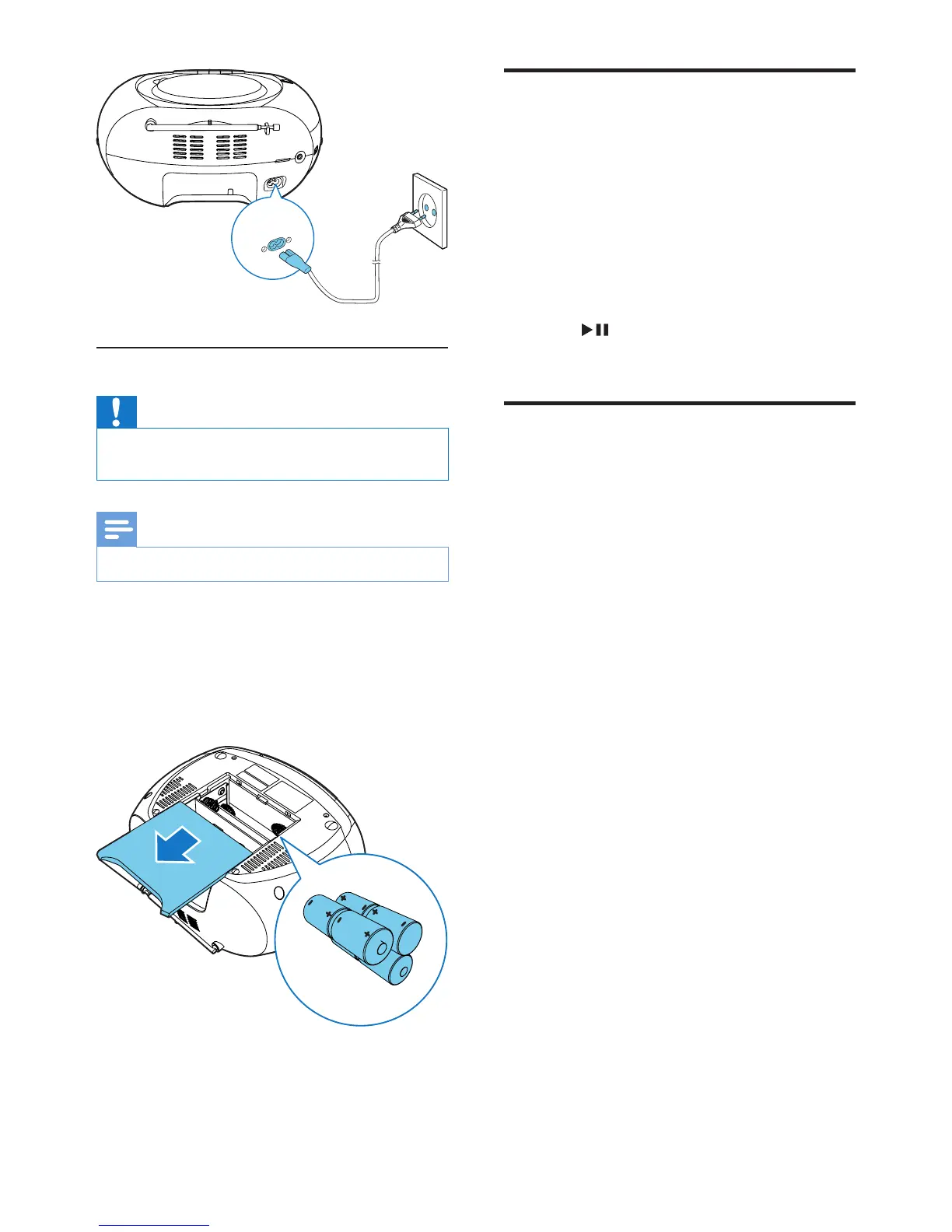
1 Open the battery compartment.
2 Insert 6 batteries (type: 1.5V R14/UM2/C
CELL)withcorrectpolarity(+/-)as
indicated.
3 Close the battery compartment.
AC~MAINS
Turn on
Switch the source selector on the main unit to
FM/USB/SD/CD.
» When the source selector is in the CD
position, CD is displayed.
Switch to standby mode
• The unit switches to standby mode
automatically when there is no audio
detected for over 15 minutes.
• Press to wake up the unit from
standby mode.
Turn off
Switch the source selector on the main unit to
OFF.


 To Next Page