FEATURES
13
You can select up to 15 tracks and store them in the
memory in a desired sequence. You can store any track
more than once.
1 While playback is stopped, select a track with
∞ or §.
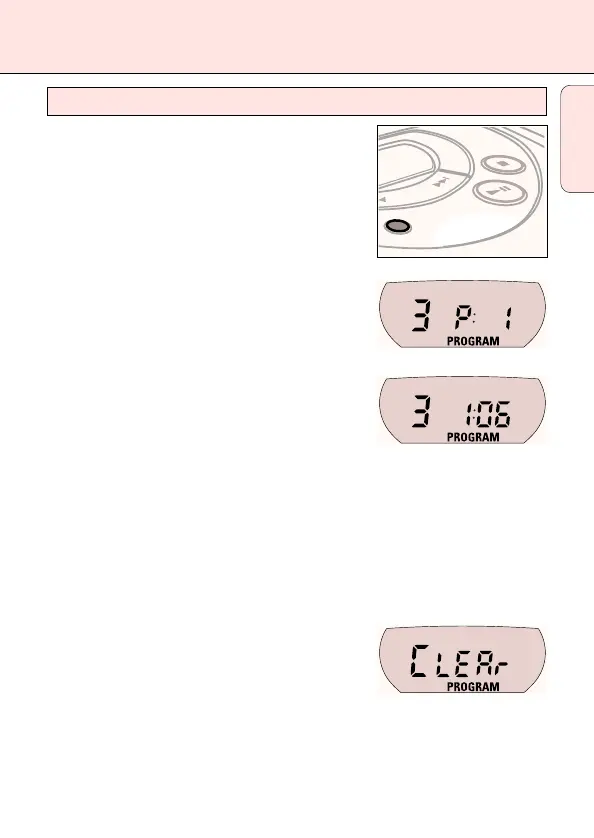
2 Press PROG to store the track.
y PROGRAM lights up, the track number
programmed and P with the total number of
stored tracks are displayed.
3 Select and store all desired tracks in this way.
4 Press 2; to start playback of your selected tracks.
y PROGRAM is shown and playback starts.
• You can review the program by pressing PROG for more than 2 seconds.
y The display shows all stored tracks in sequence.
Notes: – If you press PROG and there is no track selected,
SELECt
is displayed.
– If you try to store more than 15 tracks,
FULL
is displayed.
Erasing the program
1 If necessary, press 9 to stop playback.
2 Press 9 to erase the program.
y CLEAr is displayed once, PROGRAM goes off
and the program is erased.
Notes: The program will also be erased if you
– interrupt the power supply,
– open the CD lid, or
– the set is switched off automatically.
P
R
O
G
Programming track numbers
English



 To Next Page