FEATURES
15
It is possible to play tracks in random order, to repeat a track or the CD and to play the
first few seconds of each track.
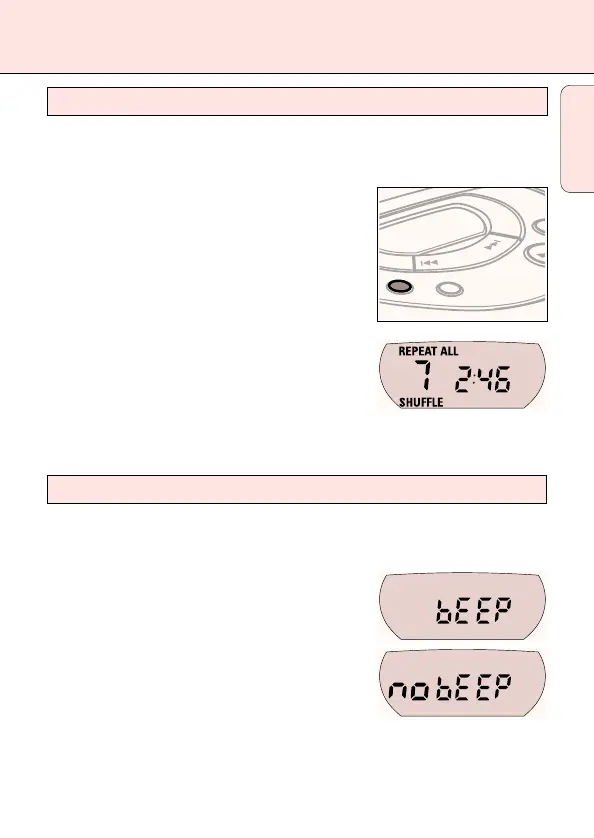
1 Press MODE during playback as often as necessary
until the display shows either:
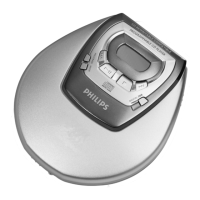
y SHUFFLE: All tracks of the CD are played in random
order until all of them have been played once.
y SHUFFLE REPEAT ALL: All tracks of the CD are
played repeatedly in random order.
y REPEAT: The current track is played repeatedly.
y REPEAT ALL: The entire CD is played repeatedly.
y SCAN: The first 10 seconds of each of the
remaining tracks are played in sequence.
2 Playback starts in the chosen mode after 2 seconds.
3 To return to normal playback, press MODE until the display indication disappears.
The set is equipped with a feature that accompanies various key operations with an
acoustic signal.
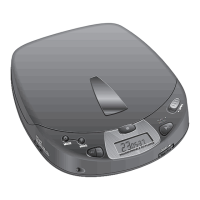
• Keep DBB pressed for more than 3 seconds.
If the acoustic signal was deactivated:
y bEEP is displayed and the acoustic signal is
activated.
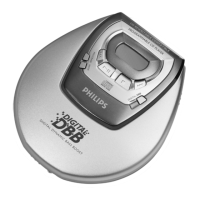
If the acoustic signal was activated:
y no bEEP is displayed and the acoustic signal
is deactivated.
Acoustic feedback
MODE
PROG
Selecting different playing possibilities – MODE
English



 To Next Page