5 EN
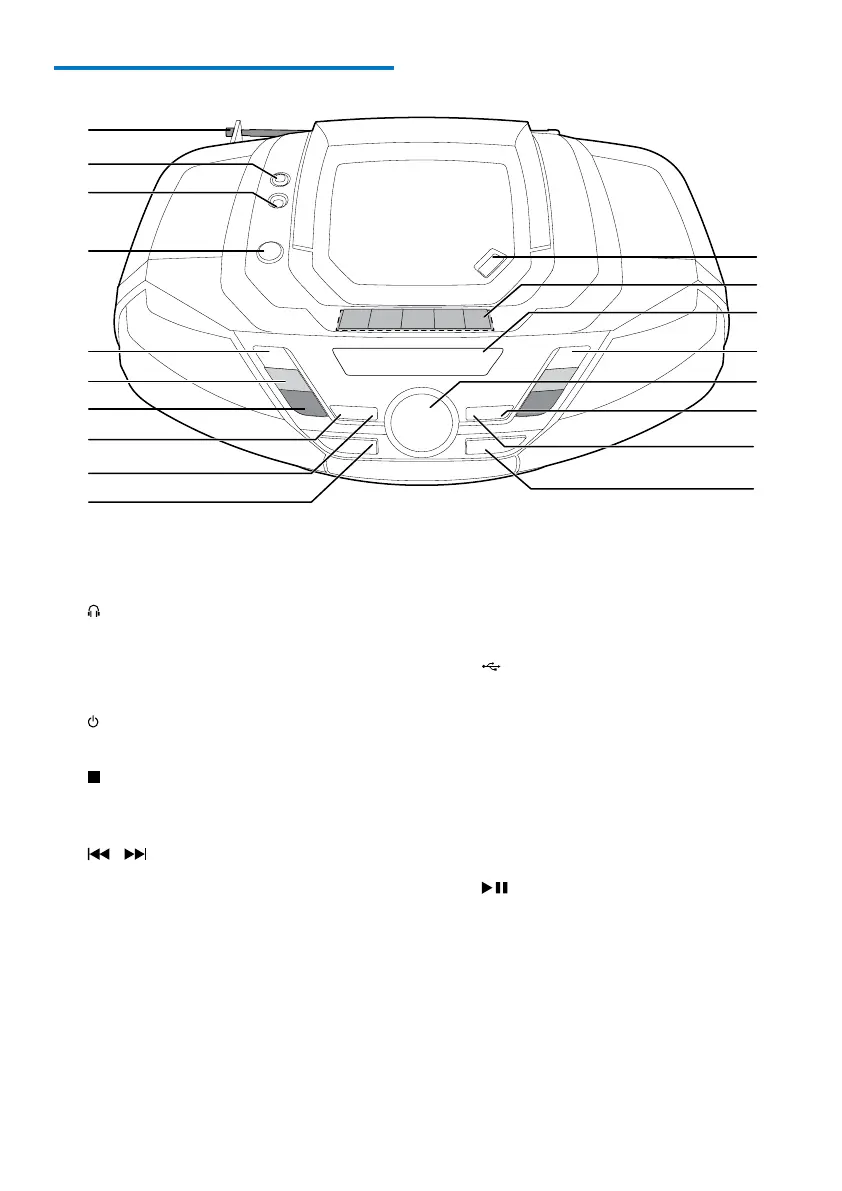
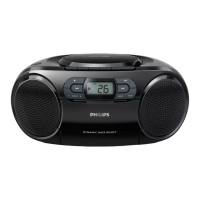
Overview of the main unit
a FM antenna
• Improve FM reception.
b
• Headphone socket.
c AUDIO-IN
• Connect an external audio device.
d
• Turn the unit on/off.
e
• Stop play.
• Erase a program.
f
/ TUNING +/-
• Skip to the previous or next track.
• Tune to FM radio stations.
• Search within a track.
g ALBUM/PRESET -/+
• Select a preset radio station.
• Skip to the previous or next album.
h PROG
• Program tracks.
i MODE
• Selectaplaymode:repeatorshufe.
j SOURCE
• Select a source.
k
• USB socket.
l DBB
• Turn dynamic bass boost on/off.
m DSC
• Select a preset sound setting.
n VOL +/-
• Adjust volume.
o
• Start or pause play.
p Display panel
• Display current status.


 To Next Page