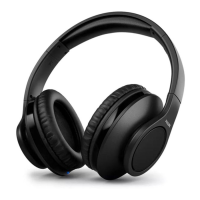
This document is a user manual for the Philips BASS+ SHB3075 Bluetooth wireless headphones. It provides comprehensive instructions on how to set up, use, and maintain the headphones, along with important safety information and troubleshooting tips.
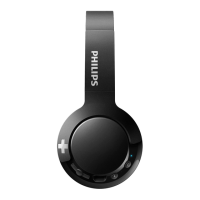
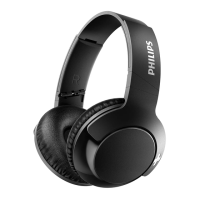
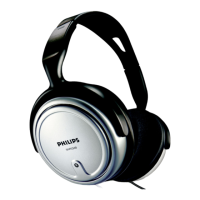
The Philips BASS+ SHB3075 headphones are designed to offer a convenient wireless audio experience, allowing users to enjoy music and manage calls without the hassle of cables. They are compatible with various Bluetooth-enabled devices such as mobile phones, notebooks, PDAs, and MP3 players. The headphones feature an on-ear design, ensuring comfort during extended use.
Function Description:
The primary function of these headphones is to provide wireless audio playback and hands-free calling. They connect to compatible devices via Bluetooth, enabling users to listen to music, podcasts, and other audio content, as well as make and receive phone calls. The headphones are equipped with controls that allow for easy management of both music and calls directly from the earcup.
Usage Features:
Power Management:
- Turning On/Off: To turn the headphones on, press and hold the On/off button for 2 seconds. The blue LED will flash, indicating they are powered on. To turn them off, press and hold the On/off button for 6 seconds; the white LED will illuminate and then fade out.
- Automatic Shut-off: If the headphones fail to connect to any Bluetooth device within range for 5 minutes, they will automatically switch off to conserve battery life.
- Battery Status: A white LED flashes 3 times every 150 seconds when the battery level is low, indicating it's time to recharge. When fully charged, the white LED turns off.
Charging:
- The headphones are charged via a micro USB charging slot. Connect the supplied USB charging cable to the headphones and a charger or computer's USB port.
- For optimal battery capacity and lifetime, it is recommended to charge the battery for 5 hours before the first use.
- During charging, the LED turns white and turns off once fully charged. A full charge typically takes 3 hours.
- The headphones can be operated normally while charging.
Bluetooth Pairing and Connection:
- Initial Pairing: Before first use with a mobile phone, the headphones need to be paired. Ensure the headphones are fully charged. Press and hold the Pairing/Mute button for 2 seconds to turn them on. The blue and white LED will flash alternately, indicating pairing mode, which lasts for 5 minutes.
- Activate the Bluetooth feature on your mobile phone and select "BASS+ On-Ear" from the list of available devices. If prompted, enter the password "0000" (four zeros). For devices with Bluetooth 3.0 or higher, a password may not be required.
- Reconnection: Once paired, the headphones will automatically attempt to reconnect to the last connected mobile phone/Bluetooth device when powered on. If the last device is unavailable, they will try to reconnect to the second-last connected device.
- The headphones can store up to 8 paired devices in memory. If more than 8 devices are paired, the earliest paired device will be replaced.
- If the mobile phone/Bluetooth device is turned on or its Bluetooth feature is activated after the headphones are already on, manual reconnection may be necessary.
Music Control:
- Play/Pause: Press the Music/call/track control button once to play or pause music.
- Adjust Volume: Use the +/- Volume control button to adjust the volume. Press once for incremental changes or press and hold for continuous adjustment.
- Skip Tracks: Press the Skip forward button twice to skip to the next track. Press and hold the Skip backward button for 2 seconds to go back to the previous track.
Call Control:
- Pick Up/Hang Up Call: Press the Music/call/track control button once to pick up or hang up a call. A single beep will confirm the action.
- Reject Incoming Call: Press and hold the Music/call/track control button for 2 seconds to reject an incoming call. A single beep will confirm the action.
- Switch Caller During a Call: Press and hold the Music/call/track control button for 2 seconds to switch between callers during an active call.
- Mute/Unmute Microphone: Press the Pairing/Mute button once to mute or unmute the microphone during a call. A single beep will confirm the action.
Voice Control:
- Siri/Google Now: Press and hold the Siri/Google Now button for 2 seconds to activate your device's voice assistant.
Headphones Indicator Status:
- Connected/Standby/Listening: The blue LED flashes every 8 seconds.
- Ready for Pairing: The LED flashes blue and white alternately.
- On but Not Connected: The blue LED flashes quickly. If no connection is made within 5 minutes, the headphones will turn off.
- Low Battery: The white LED flashes 3 times every 150 seconds until power is depleted.
- Battery Fully Charged: The white LED is off.
Wearing the Headset:
- Adjust the headband to ensure a comfortable and secure fit on your head.
Maintenance Features:
General Care:
- Avoid exposing the headphones to excessive heat, such as direct sunshine or fire.
- Do not drop the headphones.
- Protect the headphones from dripping or splashing water. They should not be submerged in water.
- Do not use cleaning agents containing alcohol, ammonia, benzene, or abrasives.
- If cleaning is necessary, use a soft cloth, dampened with a minimum amount of water or diluted mild soap.
Battery Care:
- The integrated battery should not be exposed to excessive heat.
- There is a danger of explosion if the battery is incorrectly replaced. Replace only with the same or equivalent type.
Storage and Operating Conditions:
- Operate or store the headphones in a place where the temperature is between -15°C (5°F) and 55°C (131°F), with up to 90% relative humidity.
- Battery life may be shorter in high or low temperature conditions.
Disposal:
- The product is designed with high-quality materials and components that can be recycled and reused.
- It may contain lead and mercury, and disposal should comply with environmental regulations. Contact local authorities or visit www.recycle.philips.com for disposal/recycling information.
- The product contains non-removable batteries. Do not incinerate them as they may explode if overheated. Follow local regulations for battery disposal/recycling.
Safety Guidelines:
- To prevent hearing damage, limit high-volume use and set the volume to a safe level. The louder the volume, the shorter the safe listening time.
- Listen at reasonable volumes for reasonable periods.
- Avoid continuously increasing the volume as your hearing adapts.
- Do not turn up the volume so high that you cannot hear your surroundings.
- Exercise caution or temporarily discontinue use in potentially hazardous situations.
- Excessive sound pressure from earphones and headphones can cause hearing loss.
- Using headphones with both ears covered while driving is not recommended and may be illegal in some areas.
- For safety, avoid distractions from music or phone calls in traffic or other dangerous environments.

 Need help?
 General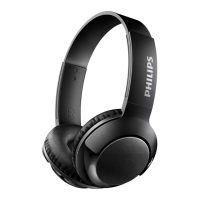

 To Next Page