Need help?
Do you have a question about the Philips BASS+ SHB3175 and is the answer not in the manual?
Guidelines for safe listening to avoid hearing damage, emphasizing reasonable volumes and periods.
Instructions to avoid damage or malfunction, including heat, water, and cleaning agent precautions.
Lists the items provided with the Philips Bluetooth wireless headphones.
Information on mobile phones or devices compatible with Bluetooth headphones.
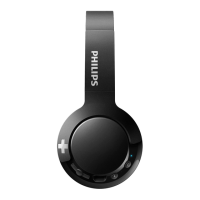
Diagram and labels identifying the parts of the Bluetooth wireless headphones.
Instructions for charging the headphones, including initial charge time and cable usage.
Step-by-step guide on pairing the headphones with a mobile phone via Bluetooth.
Steps to connect the headphones to a mobile phone or Bluetooth-enabled device.
Instructions for controlling music playback and handling calls using headphone buttons.
Using the headphones with an audio cable when the battery is low.
Guidance on adjusting the headband for a comfortable and proper fit.
Instructions on how to twist and fold the headphones for easy storage.
Statement of compliance with essential requirements and provisions of EU directives.
Guidelines for environmentally responsible disposal of old products and batteries.
Information regarding trademarks like Bluetooth, Siri, and Google used in the manual.
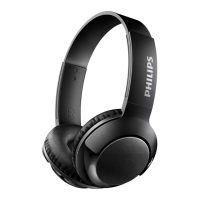
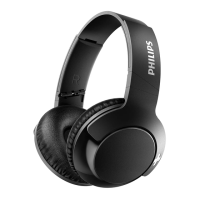
This document describes the Philips BASS+ SHB3175 Bluetooth wireless headphones, offering a comprehensive guide to their functions, usage, and maintenance.
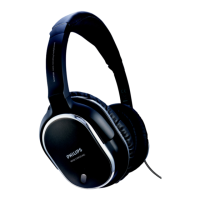
The Philips BASS+ SHB3175 are over-ear Bluetooth wireless headphones designed for convenient hands-free calls and wireless music enjoyment. They feature a built-in microphone for calls and controls for managing both music playback and phone calls directly from the headphones. The headphones are equipped with a rechargeable lithium polymer battery, providing a specified duration for music playback and talk time, as well as an extended standby time. An LED indicator provides visual feedback on the headphone's status, including power, pairing, charging, and battery level. For situations where wireless connectivity is not desired or the battery is low, the headphones also support a wired connection via a 3.5mm audio jack, allowing continued music enjoyment.
Powering On/Off: To turn the headphones on, press and hold the power button for 2 seconds. The blue LED will flash, indicating they are on. To turn them off, press and hold the power button for 6 seconds; the white LED will illuminate and then fade out.
Charging: Before first use, it is recommended to charge the battery for 5 hours to optimize its capacity and lifespan. To charge, connect the supplied micro USB charging cable to the charging slot on the headphones and to a charger or a computer's USB port. The LED will turn white during charging and switch off once fully charged. A full charge typically takes 3 hours. It's important to use only the original USB charging cable to prevent damage. The headphones can be operated normally during charging, but connecting them for charging will power them off, so finish any calls beforehand.
Pairing with a Mobile Phone: To use the headphones wirelessly, they must first be paired with a mobile phone or Bluetooth-enabled device. Ensure the headphones are fully charged and turned on (press and hold the power button for 2 seconds). The headphones will enter pairing mode, indicated by the blue and white LED flashing alternately, and will remain in this mode for 5 minutes. On your mobile phone, activate its Bluetooth feature and select "BASS+ Over-Ear" from the list of available devices. If prompted, enter the password "0000" (four zeros); for devices with Bluetooth 3.0 or higher, a password may not be required. The headphones store the last 8 paired devices in memory. If you attempt to pair more than 8 devices, the earliest paired device will be replaced.
Connecting to a Bluetooth Device: After initial pairing, turn on your mobile phone/Bluetooth device and then turn on the headphones (press and hold the power button for 2 seconds). The blue LED will flash, and the headphones will automatically reconnect to the last connected mobile phone/Bluetooth device. If the last device is unavailable, they will attempt to reconnect to the second-to-last connected device. If you activate Bluetooth on your device after turning on the headphones, you may need to manually reconnect them. If the headphones fail to connect to any Bluetooth device within range within 5 minutes, they will automatically switch off to conserve battery life.
Wired Connection: When the battery is low or if you prefer a wired connection, you can use the provided audio cable. Ensure the headphones are turned off before connecting the audio cable to the headphones and your external audio device. Note that the microphone function is deactivated when the 3.5mm audio cable is connected, making the headphones suitable for music enjoyment only in this mode.
Wearing the Headphones: Adjust the headband to ensure a comfortable fit on your head.
Compact Folding: For easy storage after use, twist the earcups of the headphones.
General Care: To prevent damage or malfunction, avoid exposing the headphones to excessive heat, dropping them, or submerging them in water. They should not be exposed to dripping or splashing. Do not use cleaning agents containing alcohol, ammonia, benzene, or abrasives. If cleaning is necessary, use a soft cloth, dampened with a minimum amount of water or diluted mild soap.
Battery Care: The integrated battery should not be exposed to excessive heat sources like sunshine or fire. There is a danger of explosion if the battery is incorrectly replaced; only replace it with the same or an equivalent type. Battery life may be shorter in high or low temperature conditions.
Storage: Operate or store the headphones in a place where the temperature is between -15°C (5°F) and 55°C (131°F), with up to 90% relative humidity.
Disposal: The product is designed with high-quality materials and components that can be recycled and reused. Do not dispose of the product and its rechargeable battery with normal household waste. Follow local rules for the separate collection of electrical and electronic products and rechargeable batteries. This helps prevent negative environmental consequences. The product contains a built-in rechargeable battery that cannot be disposed of with normal household waste. It is strongly advised to take the product to an official collection point or a Philips service center for professional battery removal. Ensure the headphones are disconnected from the USB charging cable before removing the battery.
 General
| Frequency range | 8 - 21 Hz |
|---|---|
| EAN/UPC/GTIN (packaging) | 6925970713597 |
| Impedance | 32 Ω |
| Driver unit | 40 mm |
| Magnet type | Neodymium |
| Ear coupling | Circumaural |
| Headphone frequency | 8 - 21500 Hz |
| Maximum input power | 40 mW |
| Headphone sensitivity | 104 dB |
| Cables included | USB |
| Quick start guide | Yes |
| Battery type | Built-in battery |
| Standby time | 166 h |
| Wireless range | 10 m |
| Bluetooth version | 4.1 |
| Bluetooth profiles | A2DP, AVRCP, HFP, HSP |
| Connectivity technology | Wireless |
| Headset type | Binaural |
| Product type | Headset |
| Product color | White |
| Wearing style | Head-band |
| Volume control | Digital |
| Recommended usage | Calls/Music |
| Microphone type | Built-in |

 To Next Page