BDL5530QL
27
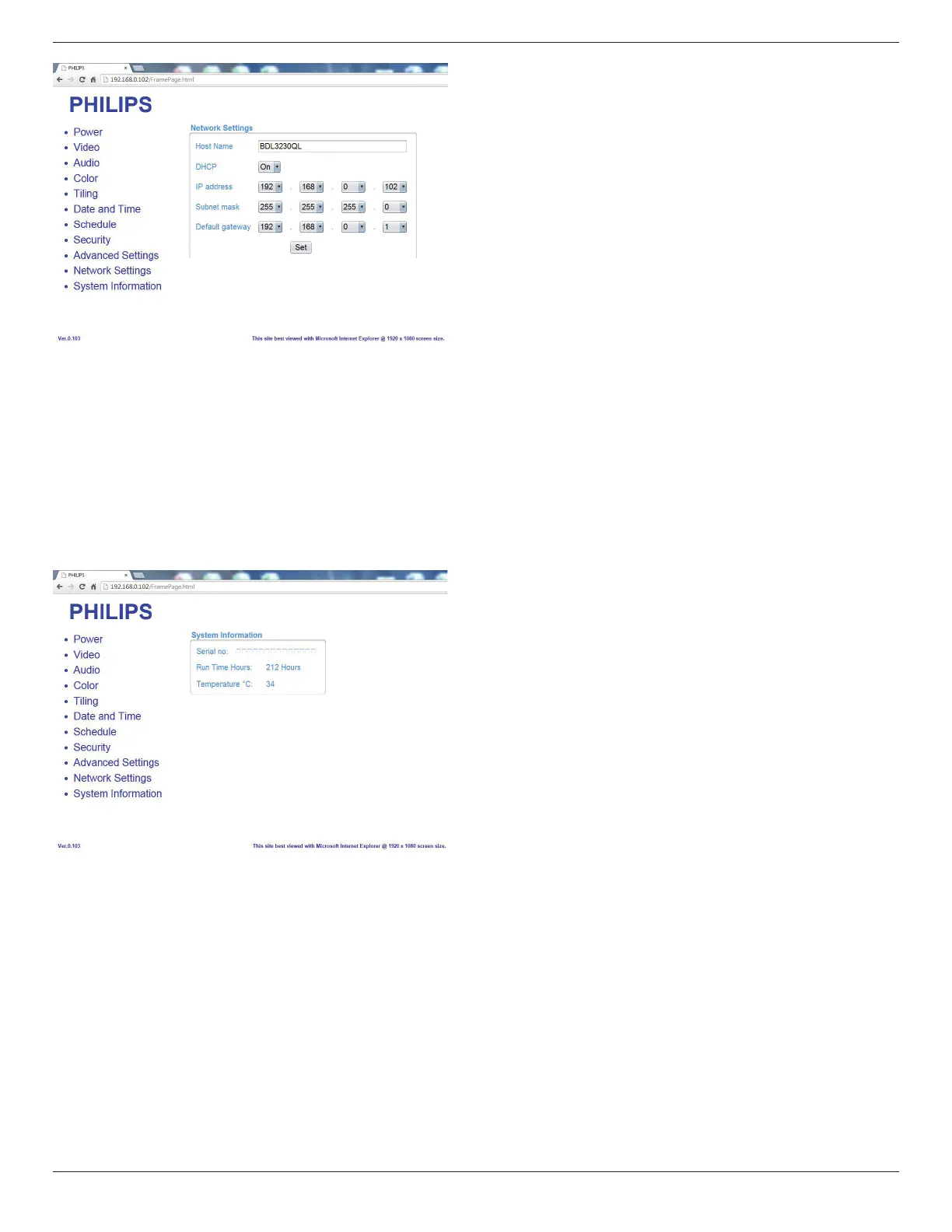
Host Name: In the multiple-display connection, you can rename each
display for easy identication.
DHCP: Choose how this display should assign address to the network
resource. (On: DHCP & Auto IP, Off: Static IP). If DHCP is set to On,
device will request and be assigned an address every time it’s booted
up. Otherwise, you need to ask your network administrator for the
appropriate IP settings.
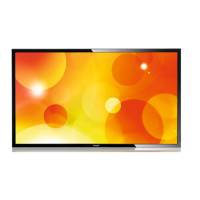
13. Click on System information to switch to System information Page.
Getting the display information. Such as Serial number, running time and
Temperature via the RS232/Network.
Note:
1. Some browser issues may be caused by the browser itself. For
optimal viewing and security we recommend that you keep your
browser up to date.
2. We recommend that you use IE for optimal performance with Web
Control.











 To Next Page