Need help?
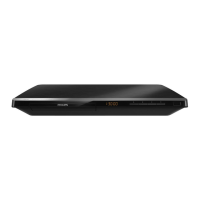
Do you have a question about the Philips BDP5005 and is the answer not in the manual?
Connect the Blu-ray player to your TV using an HDMI cable for the best quality audio and video.
Connect the Blu-ray player to your TV using component video cables for better quality than composite.
Connect the Blu-ray player's audio output to your TV using RCA audio cables.
Connect the Blu-ray player to your TV using composite RCA video cables for standard quality.
Connect the AC power cord to the Blu-ray player and then to the AC outlet.
Turn on the player and TV, then select the correct input source on your TV to view the player's output.
Open the disc tray, place a disc, close the tray, and press play if playback does not start automatically.
Learn how to pause, resume, stop, and eject discs during playback using the remote control.
 Picture and Display
| Picture enhancement | Progressive Scan, Video upscaling, High Def (720p, 1080i, 1080p) |
|---|---|
| D/A converter | 12bit/150MHz |
Sound| Sound System | Dolby Digital, DTS |
|---|
 Power
Power| Power supply | 120V, 60Hz |
|---|
 Weight and Dimensions
| Set dimensions | 435 x 65 x 303 mm |
|---|---|
| Set weight | 3.1 kg |


 To Next Page