14
EN
Note
•
BD-Live services vary from discs and countries.
• When you use BD-Live, data on the disc and this player
are accessed by the content provider
• Use a USB storage device with at least 1GB of free
space to store the download.
• If a USB hub is used with this player, do not overload
the USB hub with many USB devices to avoid
insufcient USB power.
Play a Blu-ray 3D video
What you need
• A 3D compliant TV
• This player is connected to the TV through
HDMI
• 3D glasses compatible with the TV
• 3D Blu-ray disc
1 Make sure that 3D output is turned on:
press
, and select [Setup] > [Video]
>[Watch 3D video] > [Auto].
2 Play a Blu-ray 3D video.
3 Put on the 3D glasses for 3D effects.
• To play 3D video in 2D, turn off Blu-ray
3D output (press
, and select [Setup]
> [Video] > [Watch 3D video] >
[Off]).
Set up a network
Connect this player to a computer network and
the Internet to access the services:
• Browse PC (DLNA): play photos, music,
and video les streamed from your
computer.
• Internet services: access online services,
such as pictures, music and video stores.
• Update software: update the software of
this player via the Internet.
• BD-Live: access online bonus features
(applicable to Blu-ray discs that are BD-
Live enabled).
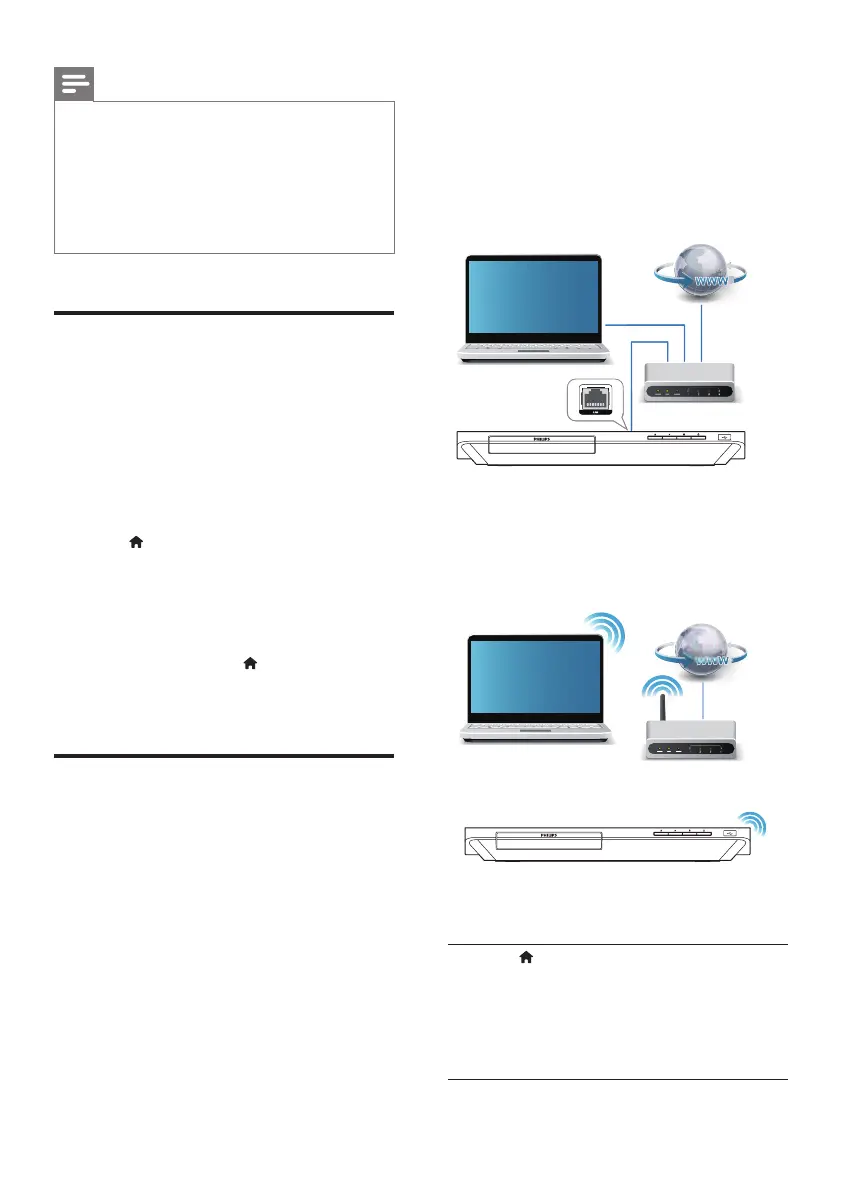
1 Connect this player to a computer
network and the Internet, through wired
(Ethernet) or wireless connection.
• For wired connection, connect a network
cable (not supplied) to the LAN port on
the back panel of this player.
• This player has a built-in Wi-Fi for a
wireless connection.
2 Perform the network installation.
1) Press .
2) Select [Setup], and press OK.
3) Select [Network] > [Network
installation], and press OK.
4) Follow the instructions on the TV screen to
complete the installation.
PC (DLNA)
PC (DLNA)
BDP5600K_51_UM_V4.0.indb 14 2016/4/28 16:46:04





 To Next Page