EasyManua.ls Logo

Philips Brilliance 241B4 - User Manual

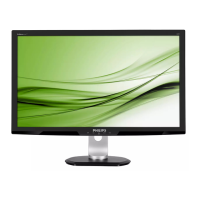
Philips Brilliance 241B4
46 pages
Print Icon
To Next Page IconTo Next Page
Loading...
www.philips.com/welcome
241B4
EN User manual 1
Customer care and warranty 34
Troubleshooting & FAQs 39
Question and Answer IconNeed help?

Do you have a question about the Philips Brilliance 241B4 and is the answer not in the manual?

Summary

Important Information

Safety Precautions and Maintenance

Instructions on safe operation, handling, and upkeep of the monitor to prevent hazards.

Setting Up the Monitor

Installation

Step-by-step instructions for physically setting up the monitor and connecting it.

Operating the Monitor

Guide to using the monitor controls and understanding its functions for optimal display.

Image Optimization

Philips SmartControl Premium

Software for advanced monitor adjustment via a user-friendly on-screen interface.

PowerSensor Features

Customer Care and Warranty

Troubleshooting & FAQs

Troubleshooting Common Problems

Solutions for frequent issues like no picture, image vibration, or auto function errors.

General FAQs

Answers to frequently asked questions about monitor setup, resolution, drivers, and image quality.

Summary

Important Information

Safety Precautions and Maintenance

Instructions on safe operation, handling, and upkeep of the monitor to prevent hazards.

Setting Up the Monitor

Installation

Step-by-step instructions for physically setting up the monitor and connecting it.

Operating the Monitor

Guide to using the monitor controls and understanding its functions for optimal display.

Image Optimization

Philips SmartControl Premium

Software for advanced monitor adjustment via a user-friendly on-screen interface.

PowerSensor Features

Customer Care and Warranty

Troubleshooting & FAQs

Troubleshooting Common Problems

Solutions for frequent issues like no picture, image vibration, or auto function errors.

General FAQs

Answers to frequently asked questions about monitor setup, resolution, drivers, and image quality.

Philips Brilliance 241B4 Specifications

General IconGeneral
Screen Size24 inches
Panel TypeTN
Aspect Ratio16:9
Brightness250 cd/m²
Contrast Ratio1000:1
Response Time5 ms
Viewing Angle (H/V)170°/160°
VESA Mount100 x 100 mm
Color Support16.7 Million
ConnectivityVGA, DVI-D, DisplayPort
Dynamic Contrast Ratio20, 000, 000:1
Built-in SpeakersYes
Weight5.4 kg
Resolution1920 x 1080 (Full HD)

Related product manuals