4EN
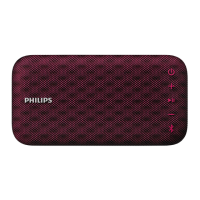
Overview of the speaker
a
• Turn the speaker on or o.
• Check the battery level.
b -/+
• Adjust volume.
c
• In Bluetooth mode, press to
pause or resume play.
• In Bluetooth mode, press twice
to play the next track.
• Respond to an incoming call
through Bluetooth connection.
d
• Enter Bluetooth pairing mode.
• Clear Bluetooth pairing information.
e Battery level indicators
• Show the charging progress.
• Show the battery level.
f Bluetooth indicator
• Show the Bluetooth status.
g AUDIO IN
• Connect an external audio device.
h
• Charge the built-in battery.
3 Get started
Always follow the instructions in this
chapter in sequence.
Turn on/o
• To turn the speaker on, press and
hold
for over two seconds.
» The Bluetooth indicator starts
ashing.
» The battery level indicators light
up briey.
» The speaker beeps.
• To turn the speaker o, press and
hold
for two seconds again.
Note
•
When there is no Bluetooth connection
for 15 minutes or the battery is at low level,
the speaker turns o automatically to save
power.
Check the battery level
The speaker is powered by the built-in
rechargeable battery. After power-on,
the speaker shows the battery level
immediately, and the battery indication
disappears in ve seconds.


 To Next Page