ENGLISH
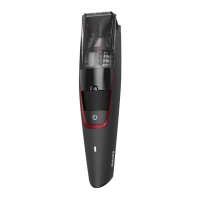
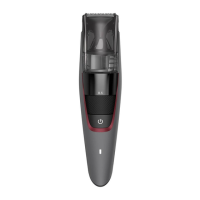
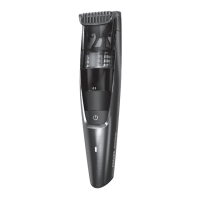
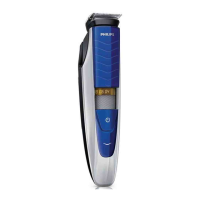
General description (Fig.1)
1 Cutting element
2 Vacuum system
3 Length settings
4 Zoom wheel
5 On/o button
6 Battery status indicator
7 Cleaning brush
8 Small plug
9 Supply unit (adapter)
10 Precision trimmer
11 Beard and stubble comb
Important safety information
Read this important
information carefully before
you use the appliance and
its accessories and save it
for future reference. The
accessories supplied may vary
for dierent products.
Danger
- Keep the supply unit dry
(Fig. 2).
Warning
- The supply unit contains a
transformer. Do not cut o
the supply unit to replace
it with another plug, as this
causes a hazardous situation.
- Only charge the appliance
with the supply unit
provided (HQ8505).
- This appliance can be used
by children aged from 8 years
and above and persons with
reduced physical, sensory
or mental capabilities or
lack of experience and
knowledge if they have
been given supervision or
instruction concerning use
of the appliance in a safe
way and understand the
hazards involved. Children
shall not play with the
appliance. Cleaning and user
maintenance shall not be
made by children without
supervision.
- Always check the appliance
before you use it. Do not
use the appliance if it is
damaged, as this may cause
injury. Always replace a
damaged part with one of
the original type.
- Do not open the appliance
to replace the rechargeable
battery.
Caution
- This appliance is not
washable. Never immerse the
appliance in water and do not
rinse it under the tap (Fig. 2).
- Only use this appliance for
its intended purpose as
shown in the user manual.
- For hygienic reasons, the
appliance should only be
used by one person.
- Never use compressed air,
scouring pads, abrasive
cleaning agents or
aggressive liquids such as
petrol or acetone to clean
the appliance.
- Do not use the supply unit
in or near wall sockets that
contain or have contained
an electric air freshener to
prevent irreparable damage
to the supply unit.
Electromagnetic elds (EMF)
- This Philips appliance complies with all
applicable standards and regulations regarding
exposure to electromagnetic elds.
General
- The appliance is suitable for mains voltages
ranging from 100 to 240 volts.
- The supply unit transforms 100-240 volts to a
safe low voltage of less than 24 volts.
4222.002.8661.1
BT720x
Register your product and get support at
www.philips.com/welcome
1
3.0
1
2
3
4
5
6 7
8
10
9
11
161514
2
5
8
11
17
20
3
3.0
0.5
6
9
12
18
21
4
7
10
13
19
22



 To Next Page
 General