STEP
11
A : XBUS TRANSPARENT COMMAND
TO
CIDIC
display :
11
A
In
this step atransparent Xbus test command is written to
CIDIC. CIDIC will transfer this command to the servo proces-
sor via the Xbus.
STEP
11
B:
READ ACKNOWLEDGE FROM THE SLAVE
display :
11
B
In
this step the following actions take
place:
1.
Wait about 2 sec
to
give the slave the time to
acknowledge.
2. If the acknowledge is
$A4
$7
A
$38
$1
C then
continue
else give
an
error and stop testing.
If error,
display :
11
b
Er21
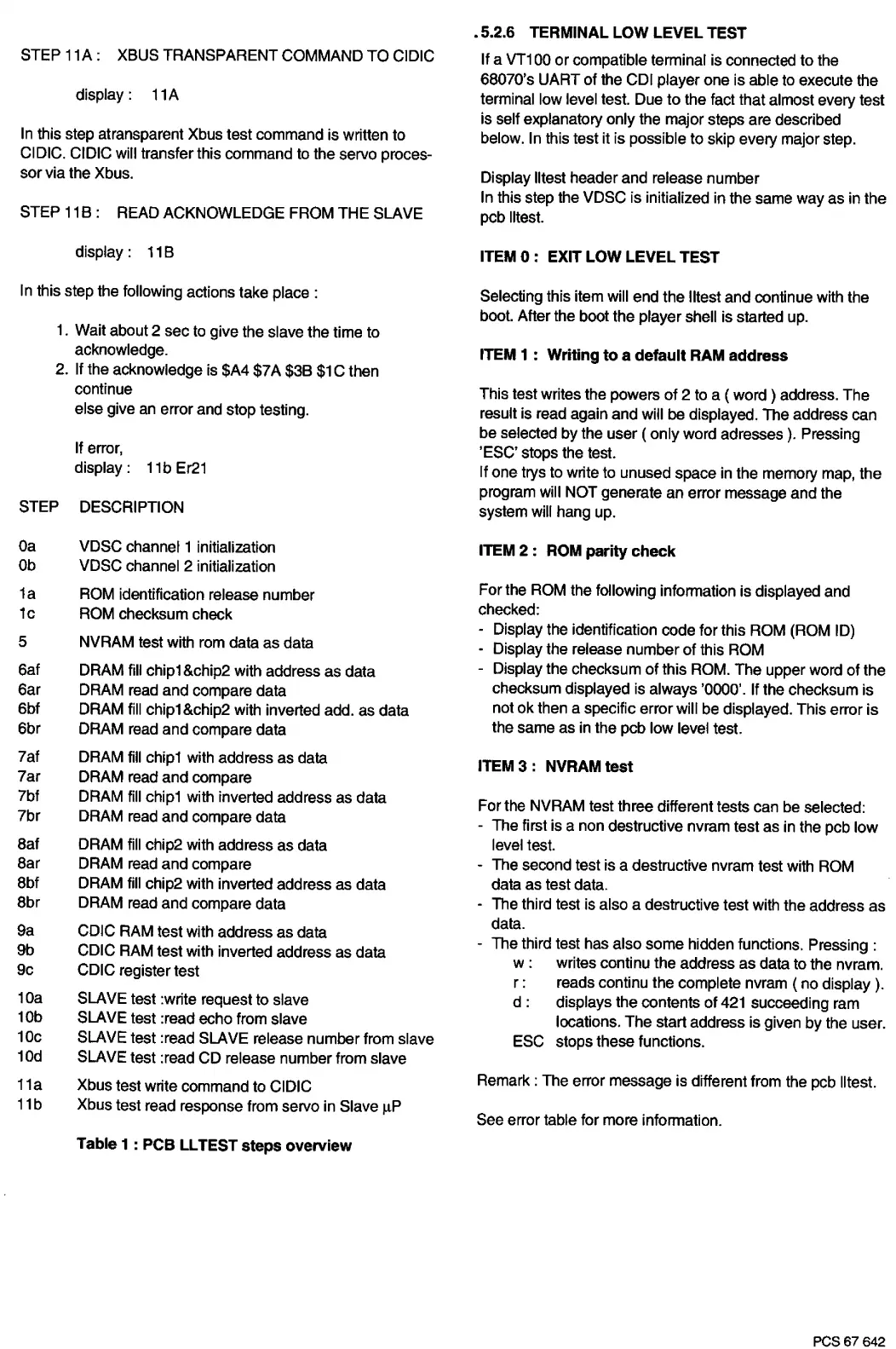
STEP DESCRIPTION
Oa
Ob
1a
1c
5
6af
6ar
6bf
6br
7af
7ar
?bf
7br
Bat
Bar
Bbf
Bbr
9a
9b
9c
10a
10b
10c
10d
11a
11b
VDSC channel 1 initialization
VDSC channel 2 initialization
ROM identification release number
ROM checksum check
NVRAM
test with rom data as data
DRAM fill chip1 &chip2 with address as data
DRAM read and compare data
DRAM fill chip1&chip2 with inverted add. as data
DRAM read and compare data
DRAM fill chip1 with address as data
DRAM read and compare
DRAM fill chip1 with inverted address as
data
DRAM read and compare data
DRAM
fill
chip2 with address as data
DRAM read and compare
DRAM fill chip2 with inverted address as data
DRAM read and compare data
CDIC RAM test with address as data
CDIC RAM test with inverted address as data
CDIC register test
SLAVE test :write request to slave
SLAVE test :read echo from slave
SLAVE test :read SLAVE release number from slave
SLAVE test :read CD release number from slave
Xbus test write command to CIDIC
Xbus test read response from servo in Slave µP
Table 1 : PCB
LL
TEST steps overview
. 5.2.6 TERMINAL LOW LEVEL TEST
If a VT100 or compatible terminal is connected
to
the
6B070's UART
of
the COi player one is able to execute the
terminal low level test. Due
to
the fact that almost every test
is self explanatory only the major steps are described
below. In this test it is possible to skip every major step.
Display lltest header and release number
In this step the VDSC is initialized in the same way as in the
pcb lltest.
ITEM
O :
EXIT LOW LEVEL TEST
Selecting this item will end the lltest and continue with the
boot. After the boot the player shell is started up.
ITEM 1 : Writing to a default RAM address
This test writes the powers of 2 to a ( word ) address. The
result
is read again and will
be displayed. The address can
be selected by the user ( only word adresses
).
Pressing
'ESC' stops the test.
If one trys to write to unused space in the memory map, the
program will NOT generate an error message and the
system will hang up.
ITEM
2:
ROM parity check
For the ROM the following information is displayed and
checked:
- Display the identification code for this ROM (ROM ID)
- Display the release number of this ROM
- Display the checksum
of
this ROM. The upper word of the
checksum displayed
is
always '0000'. If the checksum is
not ok then a specific error will be displayed. This error
is
the same as in the pcb low level
test.
ITEM 3 : NVRAM test
For the NVRAM test three different tests can be selected:
- The first is a non destructive nvram test as in the pcb low
level test.
- The second test is a destructive nvram test with ROM
data as test data.
- The third test is also a destructive test with the address as
data.
- The third test has also some hidden functions. Pressing :
w:
writes continu the address as data to the nvram.
r:
reads continu the complete nvram ( no display
).
d : displays the contents of
421
succeeding ram
locations. The start address is given
by
the user.
ESC stops these functions.
Remark : The error message is different from the pcb lltest.
See error table for more information.
PCS67642


 To Next Page
 Loading...