16
Control play
To select a folder, press or .
To skip to the previous/next track, press
or .
To search backward/forward rapidly
within the current track, press
or
for 3 seconds.
To pause, press 1,
.
To resume play, press 1,
again.
Search for an MP3/WMA
track
1
Press SEARCH.
Search menu is displayed.»
» [FOLD SCH]: search by folder
sequence.
» [FILE SCH]: search by track name.
2 Turn to select [FILE] and then press
WRFRQÀUP
3 Turn to enter a character and then
press
.
4 Repeat step 3 until the search term is
complete.
5 Press for 3 seconds to start search.
:KHQVHDUFKLVÀQLVKHGDOLVWRI»
matching tracks are displayed.
6 Turn to skip over the list.
7 Press to select a track.
View play information
1
During play USB device, press
MENU/DISP repeatedly to view:
Track number and elapsed play time
Artist
Album
Title
Folder
File
Clock
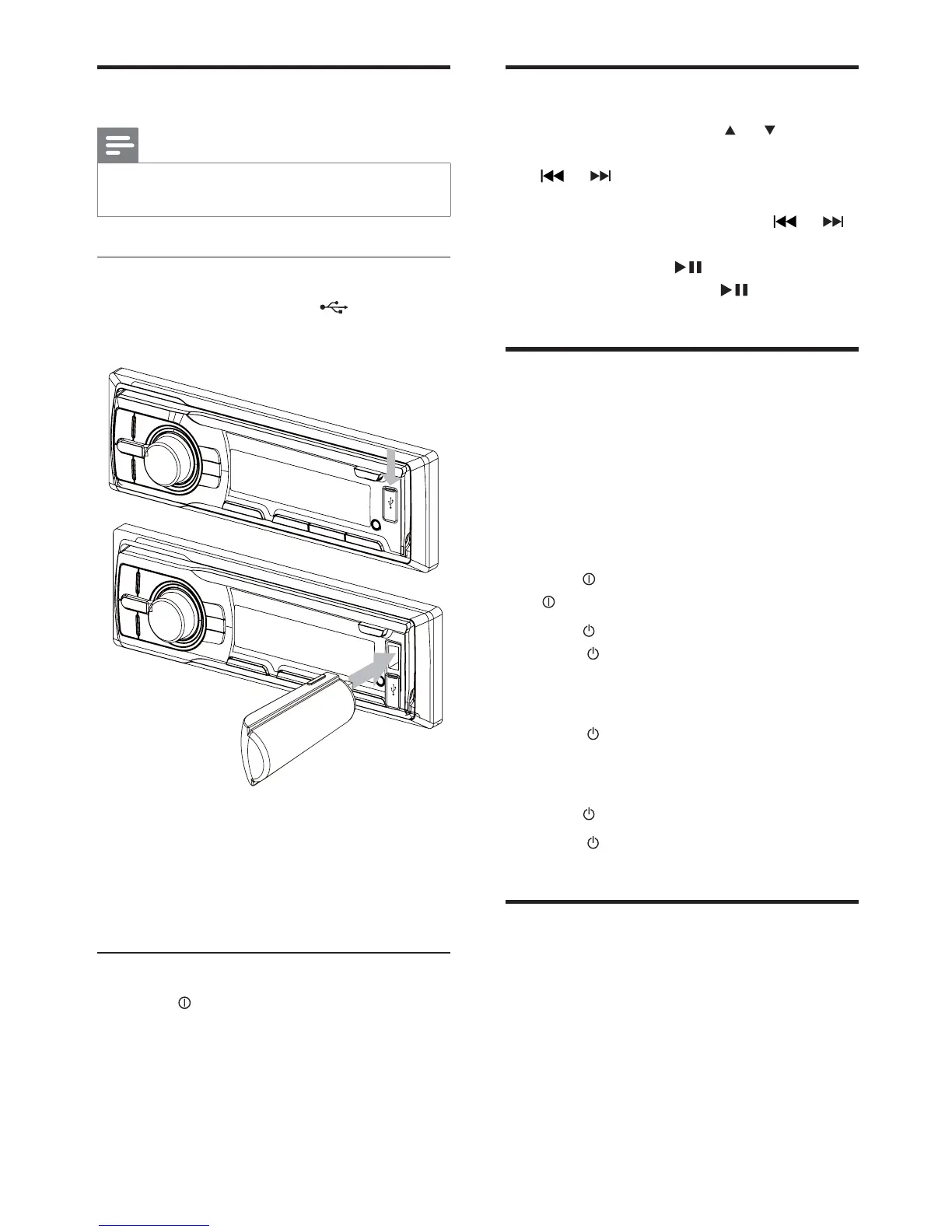
Play from USB
Note
Ensure that the USB device contains playable
music.
Insert the USB device
1 Open the cover marked on the front
panel.
2 Insert the USB device into the USB
socket.
The unit starts playing from the USB »
device automatically.
Remove the USB device
1 Press to turn off the unit.
2 Remove the USB device.
EN



 To Next Page