19
Tip
If the disc is blocked in the disc compartment,
press and hold until the disc comes out.
Play from USB
Note
Ensure that the USB device contains playable
music.
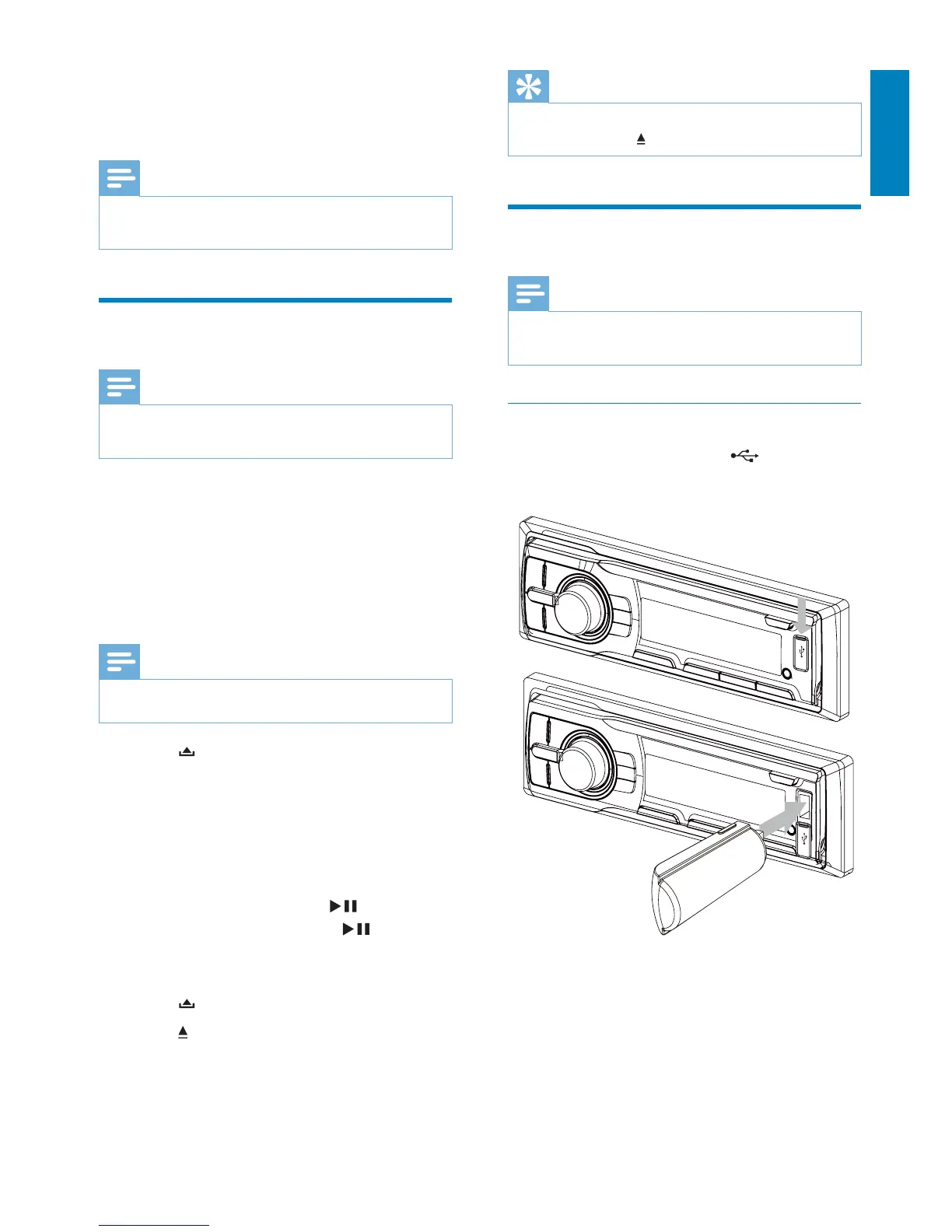
Insert the USB device
1 Open the cover marked on the front
panel.
2 Insert the USB device into the USB
socket.
The unit starts playing from the USB »
device automatically.
5 Play audio files
Note
Ensure that the disc or device contains playable
ÀOHV
Play a disc
Note
You cannot play CDs encoded with copyright
protection technologies.
You can play commercially available audio CDs
and these discs:
CD-Recordables (CD-R)
CD-Re-writables (CD-RW)
MP3 CDs
WMA CDs
Note
Ensure that the disc contains playable content.
1 Press on the front panel to release the
panel.
2 Insert a CD with the printed side facing
up.
3 Close the panel.
Play starts automatically. »
To pause CD play, press 1
.
To resume CD play, press 1
again.
Remove the CD
To take out the CD,
1 Press .
2 Press beside the disc slot.
English
EN



 To Next Page