Need help?
Do you have a question about the Philips CGA7740N and is the answer not in the manual?
Essential safety precautions for using the ADSL modem router.
Information on factors affecting wireless network range and speed.
Covers conformity, recycling, disposal, FCC statement, and software licenses.
Lists all the accessories and components included with the ADSL modem router.
Lists the external devices and connections required for setup.
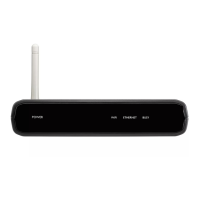
Details the components and indicators on the front panel of the ADSL modem router.
Details the ports and buttons located on the rear panel of the ADSL modem router.
Instructions for installing software and physically connecting the modem router.
Guide on connecting wireless devices, including USB adapters.
Steps for connecting devices using WPS via PIN, PBC, or manual methods.
Steps to access the modem router's web-based configuration interface.
Overview of the navigation structure within the modem router's web interface.
Configuration options for ADSL and Internet connection settings, including status, ISP, parameters, and DNS.
Network security features including Firewall, Wireless Security, and WPS.
Configuration of home network settings like status, LAN, and wireless access point.
Advanced configuration for NAT, Maintenance, System, SNMP, UPNP, QoS, DDNS, and Routing.
Guided setup wizard for initial configuration.
 General
| Model | CGA7740N |
|---|---|
| Brand | Philips |
| DOCSIS | 3.0 |
| Type | Cable |
| Frequency Band | 2.4 GHz |
| Ports | 4 x RJ-45 |
| Connectivity Technology | Wireless |
| Power Source | AC Adapter |

 To Next Page