EN
Note
• When using for the rst time, please format the micro
SD card to ensure videos are recorded normally.
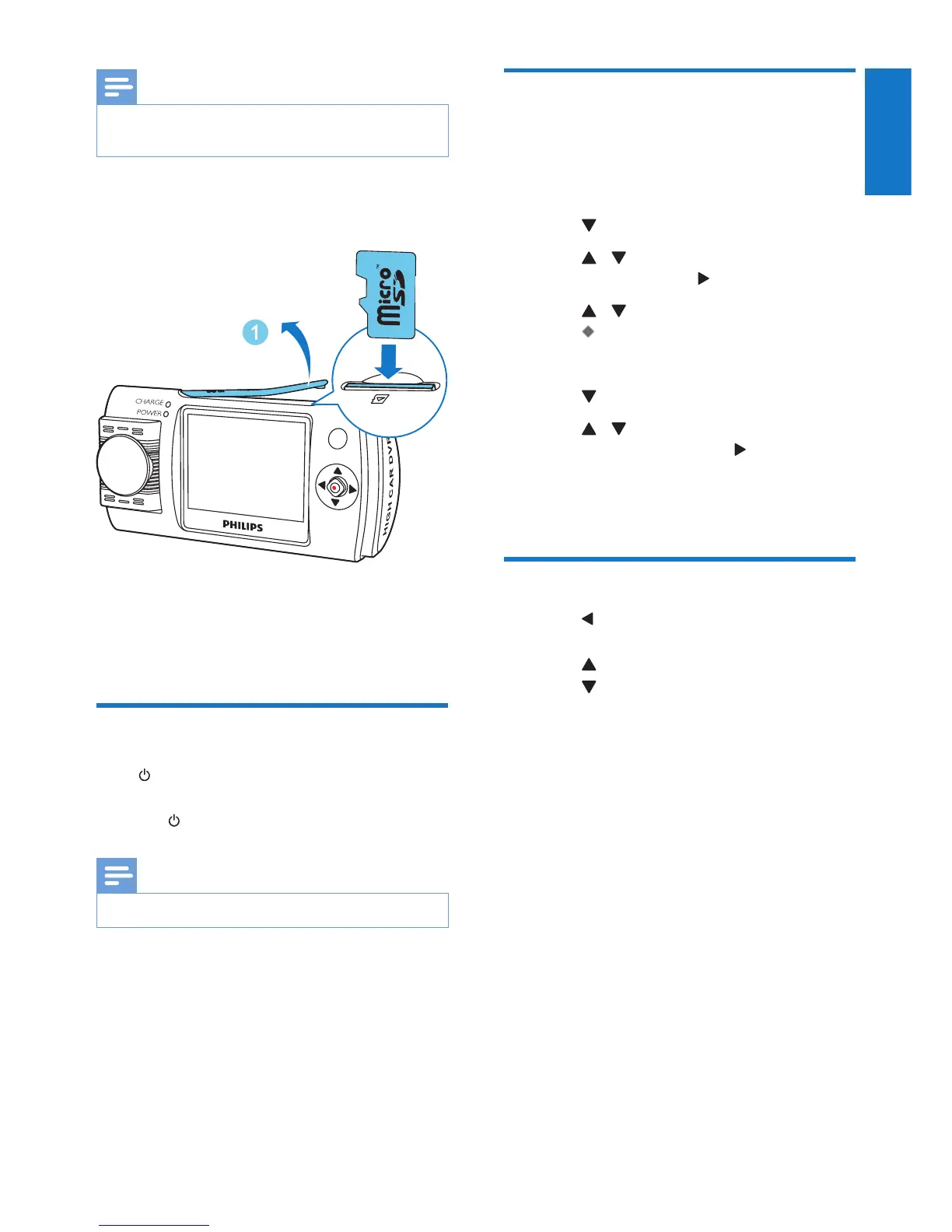
Insert a micro SD card into the card slot until
you hear a "click".
• To remove the micro SD card
Push the card inwards until you hear a "click".
» The card is disengaged.
Turn on the driving recorder
Press to turn on the driving recorder.
• To turn off the driving recorder, press and
hold for more than 3 seconds.
Note
• When using for the rst time, please set the date/time.
For the rst time use
After the driving recorder is turned on, set the
language and format the micro SD card.
Select language
1 Press to access system setting menu.
2 Press / to select the language setting
menu and then press to enter the menu.
3 Press / to select a languages, then
press to conrm.
Format SD card
1 Press to access system setting menu.
2 Press / to select format micro SD
card menu and then press to enter the
menu.
3 Select YES to format the micro SD card.
Mode switch
• Press repeatedly to select the video
recording mode or photo capture mode.
• Press to access playback mode.
• Press to access system setting menu.


 To Next Page