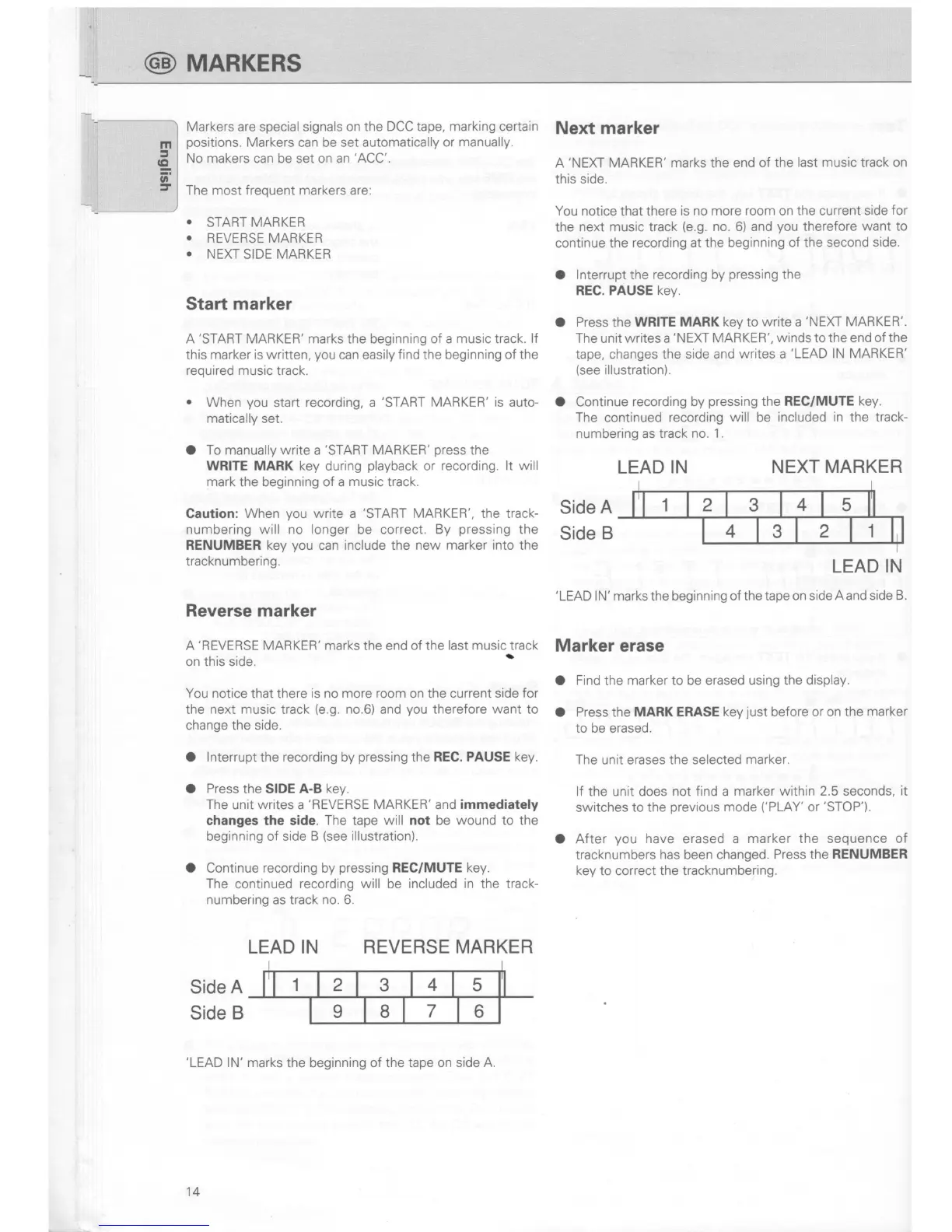
Markers are special signals on the
DCC tape, marking certain
positions.
Markers
can be set
automatically or
manually.
No makers can be set on an
'ACC'.
The most frequent markers are:
.
START MARKER
r
REVERSE MARKER
r
NEXT
SIDE
MARKER
Start
marker
A
'START
MARKER' marks the beginning of a
music
track.
lf
this
marker is written,
you
can
easily
find the beginning of the
required music
track.
.
When
you
start recording, a
'START
MARKER' is
auto-
matically
set.
O
To manually write
a
'START
MARKER'
press
the
WRITE MARK key
during
playback
or
recording. lt will
mark
the beginning of a
music
track.
Caution: When
you
write a
'START
MARKER', the track-
numbering will no longer be correct. By
pressing
the
RENUMBER key
you
can include the
new marker into
the
tracknumbering.
Reverse marker
Next marker
A
'NEXT
MARKER' marks the end
of the
last music
track
on
this side.
You notice that there
is no more room on the current
side
for
the
next music track
(e.9.
no. 6) and
you
therefore
want to
continue the
recording at the beginning
of the second side.
O
lnterrupt the recording by
pressing
the
REC. PAUSE key.
O
Press
the
WRITE MARK
key
to
write a
'NEXT
MARKER'.
The unit writes a
'NEXT
MARKER',
winds
to the end
of the
tape, changes the side and
writes a
'LEAD
lN MARKER'
(see
illustration).
O Continue
recording by
pressing
the REC/MUTE
key.
The
continued
recording
will
be
included
in
the track-
numbering
as
track no.
1.
LEAD
IN
NEXT MARKER
Side
A
Side
B
'LEAD
lN'
marks
the beginning
of the tape on side
A and side
B.
A'REVERSE MARKER' marks
the end of
the last music track
Mafkef efase
on this side.
'
You notice
that there
is no more room
on the current
side for
the
next
music track
(e.9.
no.6)
and
you
therefore
want to
change the side.
O lnterrupt the recording by
pressing
the
REC. PAUSE key.
O Press the SIDE A-B key.
The
unit writes a
'REVERSE
MARKER'
and
immediately
changes the side. The tape
will not
be
wound to the
beginning of side B
(see
illustration).
O Continue recording by
pressing
REC/MUTE
key.
The
continued
recording will be included
in
the track-
numbering
as track
no. 6.
Find the
marker
to be erased
usirlg the display.
Press the MARK ERASE
key
just
before or on the
marker
to be erased.
The
unit erases the
selected
marker.
lf
the unit does
not find a
marker within 2.5 seconds,
it
switches to
the
previous
mode
('PLAY'
or'STOP').
After
you
have erased a
marker the sequence of
tracknumbers
has been changed.
Press
the
RENUMBER
key
to correct the tracknumbering.
o
o
a
LEAD IN REVERSE
MARKER
Side
A
Side
B
'LEAD
lN'
marks the beginning of the tape
on side A.
LEAD
IN
14
@
TVIARKERS


 To Next Page
 Loading...