9EN
4 Play
Play disc
1
Press SOURCE repeatedly to select the
disc source.
2 Open the disc compartment.
3 Insert a disc with the printed side facing up.
4 Close the disc compartment.
» Play starts automatically.
Control play
Pause or resume play.
Stop play.
/ Press to skip to another track.
Press and hold for over 3 seconds
to search within a track.
VOL +/- Increase or decrease the volume.
MUTE Mute or restore sound.
DBB [DBB-0]: DBB off
[DBB-1]: DBB on
REPEAT [r1]: Play the current track
repeatedly.
[rA]: Play all tracks repeatedly.
DISPLAY Show current status.
Program tracks
You can program a maximum of 20 tracks.
1 In disc mode, in the stop position, press
PROG to activate the program mode.
» [01-] is displayed.
2 Press / to select a track number,
and then press PROGtoconrm.
3 Repeat steps 1-2 to select and store more
tracks.
4 Press to play the programmed tracks.
• To erase the program, in the stop
position, press
.
Play from iPod/iPhone
You can enjoy audio from iPod/iPhone through
this device.
Compatible iPod/iPhone
The unit supports the following iPod/iPhone
models.
Made for
• iPod classic
• iPod with video
• iPod nano (1st, 2nd, 3rd, 4th, 5th, and 6th
generation)
• iPod touch (1st, 2nd, 3rd, and 4th
generation)
• iPhone 4
• iPhone 3GS
• iPhone 3G
• iPhone
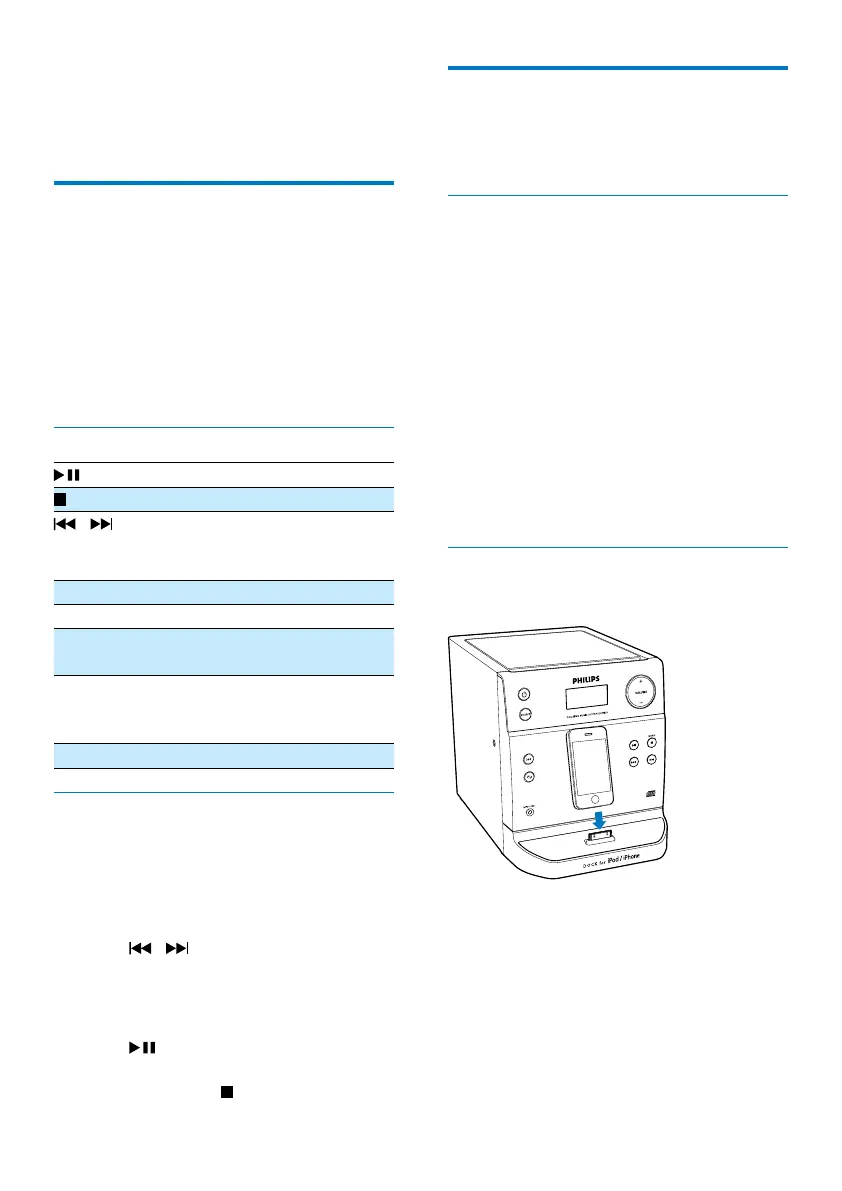
Load the iPod/iPhone
Insert your iPod/iPhone on the dock.



 To Next Page