9EN
• : the disc in the disc compartment
• :.mp3lesstoredontheconnected
USB storage device
• : the FM tuner
You can also press source buttons on the
remote control to select a source.
• FM/ CD: the FM tuner or the disc in the
disc compartment
• DOCK: the playlist on the connected
iPhone/iPod/iPad
• AUDIO IN/USB: the audio input through
the AUDIO INsocket,orthe.mp3les
stored on the connected USB storage
device
Adjust the brightness of LCD
display
1 In normal standby mode, press and hold
DISPLAY until , , or is
displayed.
2 Press VOL +/- or / to select ,
, or .
5 Play from hard
media
Play a disc
Note
• Make sure that the disc contains playable audio content.
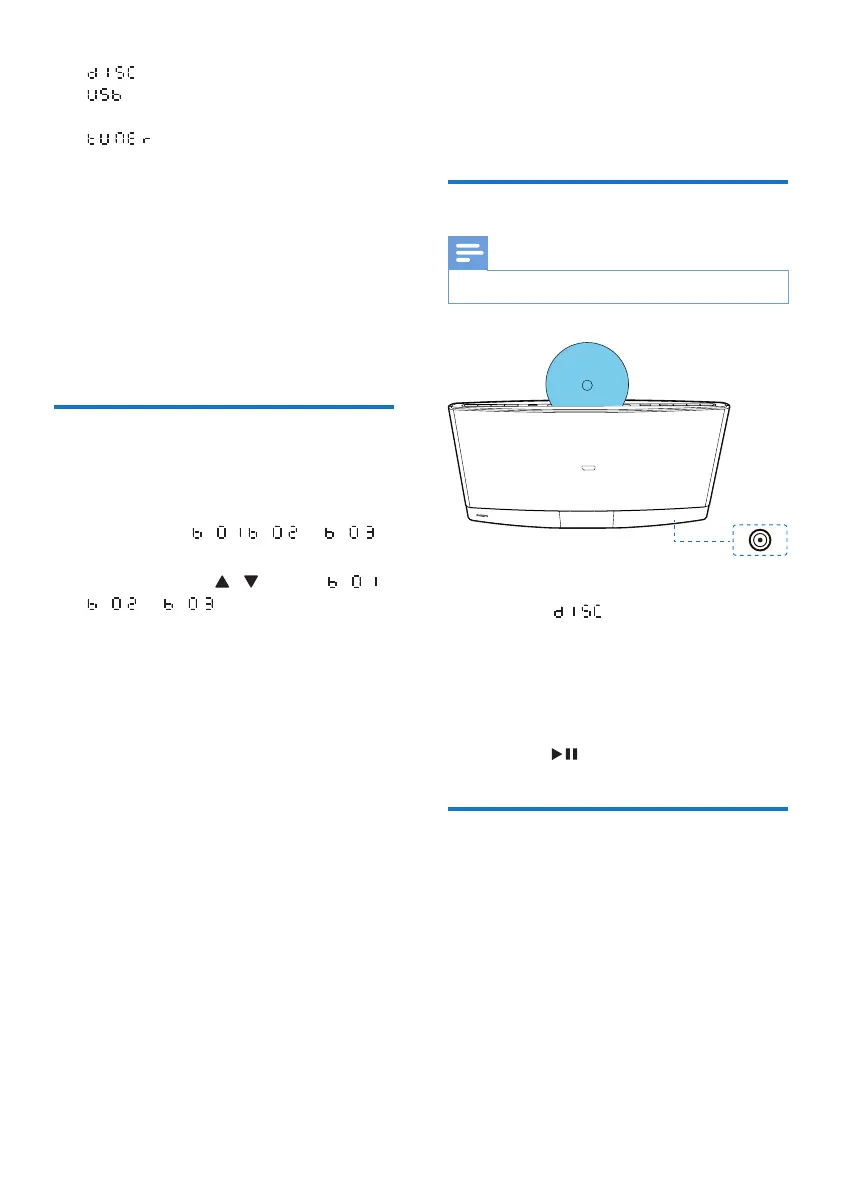
1 Press CD or SOURCE to switch the
source to .
2 Insert a disc into the disc compartment
with the printed side facing you.
» Play starts automatically after a few
seconds.
» If play does not start automatically,
press to start play.
Play from a USB storage
device
Thisproductcanplay.mp3lesthatarecopied
onto a compatible USB storage device.
• Flash drive
• Memory card reader
• HDD: hard disc drive (This product can
detect only a portable HDD with USB
power peak current no more than 500 mA.)



 To Next Page