EasyManua.ls Logo

Philips DCM2020/12 - User Manual

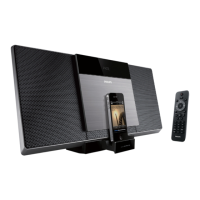
Philips DCM2020/12
21 pages
Print Icon
To Next Page IconTo Next Page
Loading...
Register your product and get support at
www.philips.com/welcome
EN User manual 3
DE Benutzerhandbuch 23
ES Manual del usuario 43
FR Mode d’emploi 63
IT Manuale utente 83
NL Gebruiksaanwijzing 103
PT Manual do utilizador 123
SV Användarhandbok 145
DCM2020

Other manuals for Philips DCM2020/12

Question and Answer IconNeed help?

Do you have a question about the Philips DCM2020/12 and is the answer not in the manual?

Summary

1 Important

Safety Warnings

General safety precautions, including electrical shock and hearing safety guidelines.

Notice

Product compliance information and warnings about unauthorized modifications.

2 Your Micro Music System

Introduction

Overview of the system's capabilities and supported media formats.

Whats in the box

List of included items in the product package.

3 Get Started

Connect Power

Instructions on connecting the unit to the power supply and safety precautions.

Connect Speakers

Guidance on connecting the speaker wires to the main unit.

Prepare the Remote Control

Steps for inserting batteries into the remote control.

4 Play

Basic Play Operations

Overview of playback controls like play, pause, skip, and repeat modes.

Turn On and Standby Modes

How to power on the unit and switch to standby or Eco Power standby mode.

Store Radio Stations Automatically

Method for automatically scanning and saving FM radio stations.

5 Play iPod;iPhone;iPad

iPod;iPhone;iPad Compatibility

List of compatible iPod, iPhone, and iPad models.

Load and Listen to iPod;iPhone;iPad

Procedure for connecting, playing music, and navigating docked devices.

6 Listen to FM Radio

Tune to FM Radio Stations

Instructions on how to manually tune into FM radio stations.

Program Radio Stations Automatically

Method for automatically scanning and storing FM radio stations.

7 Other Features

Set Alarm Timer

How to set the unit as an alarm clock using various sources.

Add File to Playlist

Instructions on creating playlists on the unit.

Set Sleep Timer

How to set a sleep timer to automatically turn off the unit.

Listen to External Audio Device

Connecting and playing audio from external devices via MP3 Link.

8 Product Information

Specifications

Technical specifications for the amplifier, disc player, and tuner.

9 Troubleshooting

No Power

Troubleshooting steps for when the unit does not power on.

Picture Issues

Solutions for problems related to display, color, and picture distortion.

Sound Issues

Troubleshooting steps for audio output problems and poor sound quality.

Summary

1 Important

Safety Warnings

General safety precautions, including electrical shock and hearing safety guidelines.

Notice

Product compliance information and warnings about unauthorized modifications.

2 Your Micro Music System

Introduction

Overview of the system's capabilities and supported media formats.

Whats in the box

List of included items in the product package.

3 Get Started

Connect Power

Instructions on connecting the unit to the power supply and safety precautions.

Connect Speakers

Guidance on connecting the speaker wires to the main unit.

Prepare the Remote Control

Steps for inserting batteries into the remote control.

4 Play

Basic Play Operations

Overview of playback controls like play, pause, skip, and repeat modes.

Turn On and Standby Modes

How to power on the unit and switch to standby or Eco Power standby mode.

Store Radio Stations Automatically

Method for automatically scanning and saving FM radio stations.

5 Play iPod;iPhone;iPad

iPod;iPhone;iPad Compatibility

List of compatible iPod, iPhone, and iPad models.

Load and Listen to iPod;iPhone;iPad

Procedure for connecting, playing music, and navigating docked devices.

6 Listen to FM Radio

Tune to FM Radio Stations

Instructions on how to manually tune into FM radio stations.

Program Radio Stations Automatically

Method for automatically scanning and storing FM radio stations.

7 Other Features

Set Alarm Timer

How to set the unit as an alarm clock using various sources.

Add File to Playlist

Instructions on creating playlists on the unit.

Set Sleep Timer

How to set a sleep timer to automatically turn off the unit.

Listen to External Audio Device

Connecting and playing audio from external devices via MP3 Link.

8 Product Information

Specifications

Technical specifications for the amplifier, disc player, and tuner.

9 Troubleshooting

No Power

Troubleshooting steps for when the unit does not power on.

Picture Issues

Solutions for problems related to display, color, and picture distortion.

Sound Issues

Troubleshooting steps for audio output problems and poor sound quality.

Philips DCM2020/12 Specifications

General IconGeneral
Product TypeMicro Music System
BrandPhilips
ModelDCM2020/12
Speaker Type2-way
Number of Speakers2
Playable disc formatsCD, CD-R, CD-RW
Audio PlaybackMP3, WMA
Tuner BandsFM, MW
FM Frequency Range87.5 - 108 MHz
Number of Preset Channels20
USB direct playbackYes
Display TypeLCD
Audio Playback ModesShuffle, Repeat
AntennaFM antenna
Connectivity3.5mm AUX input
Power supplyAC 220-240V, 50Hz
Power Output20W RMS

Related product manuals