EN 19
English
Play video from iPod/iPhone
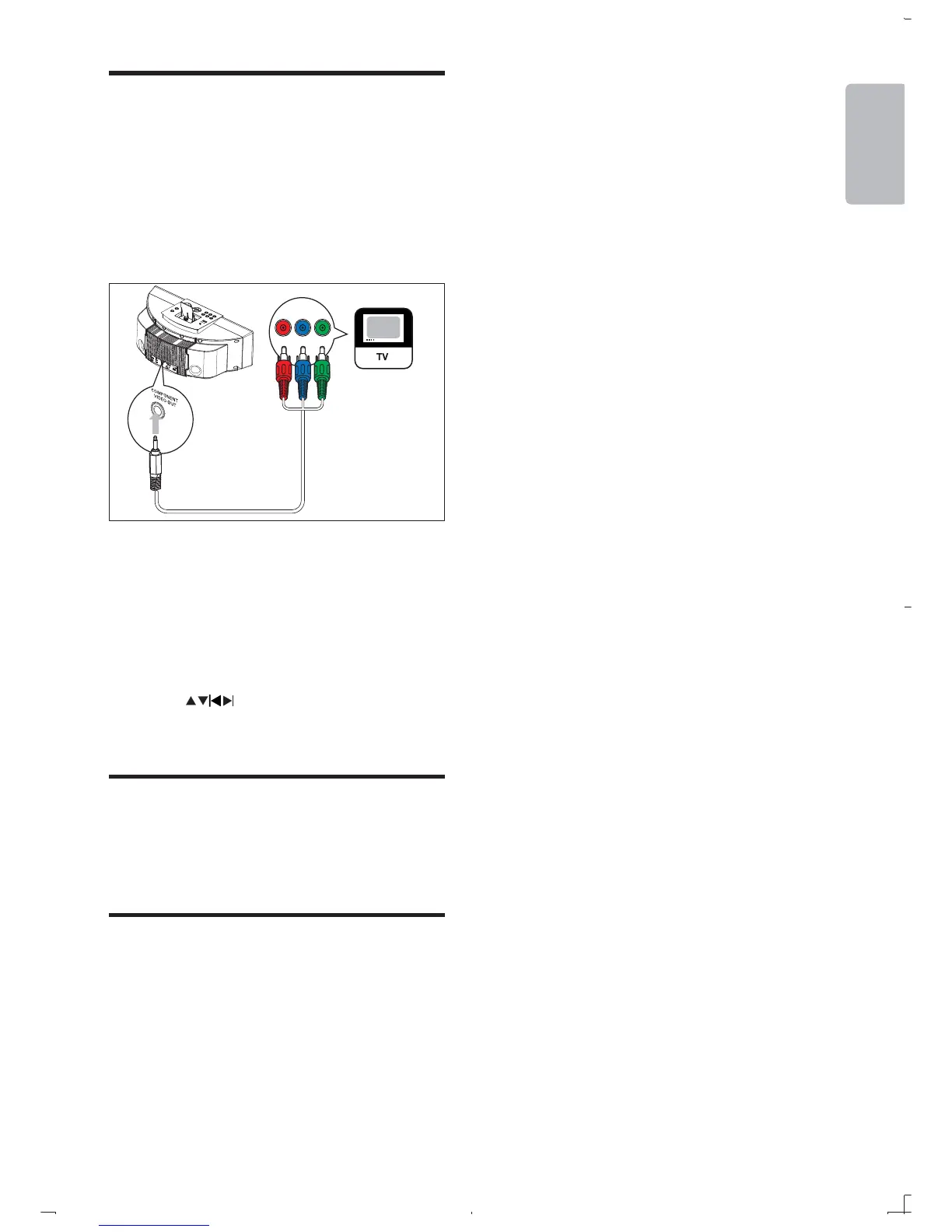
You can connect the unit to a TV to enjoy video
from the iPod/iPhone.
1 Connect the supplied video cable to:
the COMPONENT VIDEO OUT
jack on the unit.
the video input jacks on the TV.
2 Ensure that the iPod/iPhone is loaded
correctly.
3 Press iPod to select the iPod/iPhone
source.
4 Press MENU to enter the iPod/iPhone
menu.
5 Press
6 Press OK
Charge the iPod/iPhone
When the DCM250 is connected to power, the
docked iPod/iPhone begins to charge.
Remove the iPod/iPhone
1 Pull the iPod/iPhone out of the dock.
PbPr Y



 To Next Page