Need help?
Do you have a question about the Philips DS8550/10 and is the answer not in the manual?
Crucial safety instructions, warnings, and guidelines for proper and safe use of the apparatus.
Specific safety advice for UK users concerning mains plug, fuse replacement, and connection.
Instructions on plug connection, copyright, regional warnings, and health advice regarding hearing.
Final safety warnings and a notice about unauthorized modifications impacting operability.
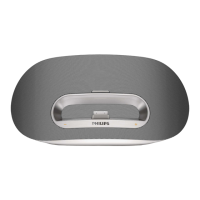
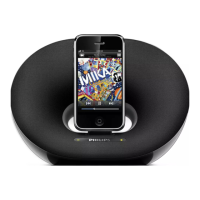
Overview of the docking speaker, its purpose, and what is included in the box.
Identification and description of the main unit's components and controls.
Identification and description of the remote control's buttons and functions.
Detailed explanation of how to use the remote control for playback, navigation, and mode selection.
Instructions for initial setup and battery replacement for the remote control.
Step-by-step guide on connecting the AC adapter and power cord to the unit.
Information on the unit's built-in battery, charging process, and power status indicators.
Instructions for turning on the unit and managing its power consumption via ECO standby modes.
Guide on playing audio from compatible iPod, iPhone, and iPad models via the dock.
Procedures for docking, removing, listening to, and charging Apple devices.
Steps for pairing, connecting, disconnecting, and playing audio from Bluetooth devices.
How to adjust volume levels and mute/unmute the sound during playback.
Technical specifications including amplifier details, general information, and Bluetooth parameters.
Solutions for problems related to no power or no sound from the unit.
Guidance on resolving issues with Bluetooth connection, audio quality, and pairing.
 General
| Brand | Philips |
|---|---|
| Model | DS8550/10 |
| Product Type | Docking Speakers |
| Compatibility | iPod, iPhone, iPad |
| Number of Speakers | 2 |
| RMS Rated Power | 30 W |
| Impedance | 4 ohm |
| Bluetooth | Yes |
| Wi-Fi | No |
| AirPlay | No |
| USB Port | Yes |
| 3.5 mm Connector | Yes |
| Product Color | Black |
| Power Source Type | AC |
| Power Supply | 100-240V, 50/60 Hz |
| Audio Output Channels | 2.0 |
| Frequency Response | 20 Hz - 20 kHz |
| Connectivity Technology | Wired |
| Audio Input | 3.5 mm |
| Width | 300mm |
| Depth | 15 cm |


 To Next Page